Play a guide, step by step
4 steps
A guide plays only its steps: each step’s own part of the meeting, then it stops. Turn on Play all steps under ⋯ to go on from step to step. Playing steps comes with Pro; on Free you see each step’s picture and words.
- 1
Open the guide from Guides in the menu, or press Play on a guide in the meeting’s Guides tab.
meetbird.ai/meeting/…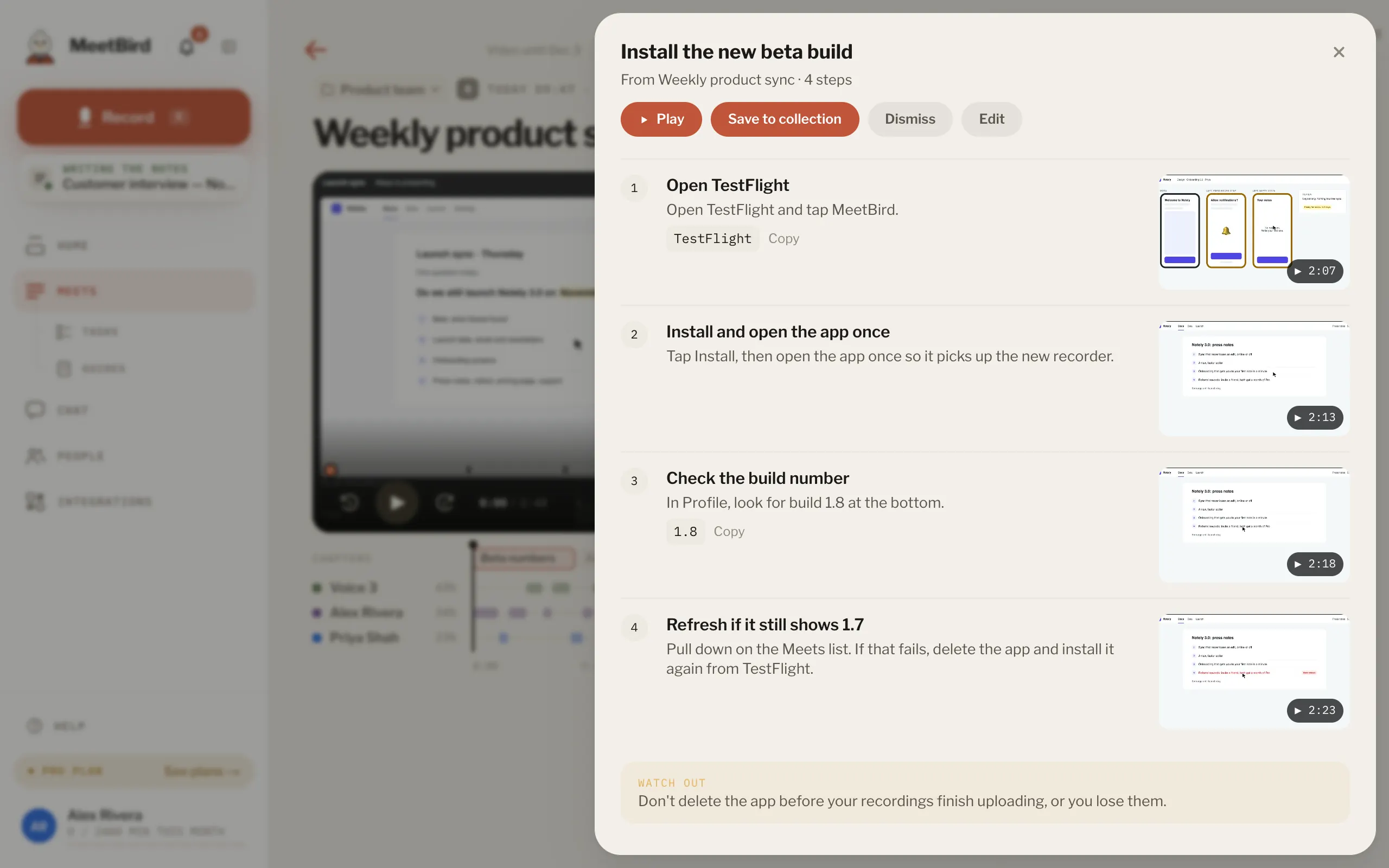
- 2
Press play. The bar is cut into the steps; the one playing fills. Step back or on with the buttons beside play.
meetbird.ai/meeting/…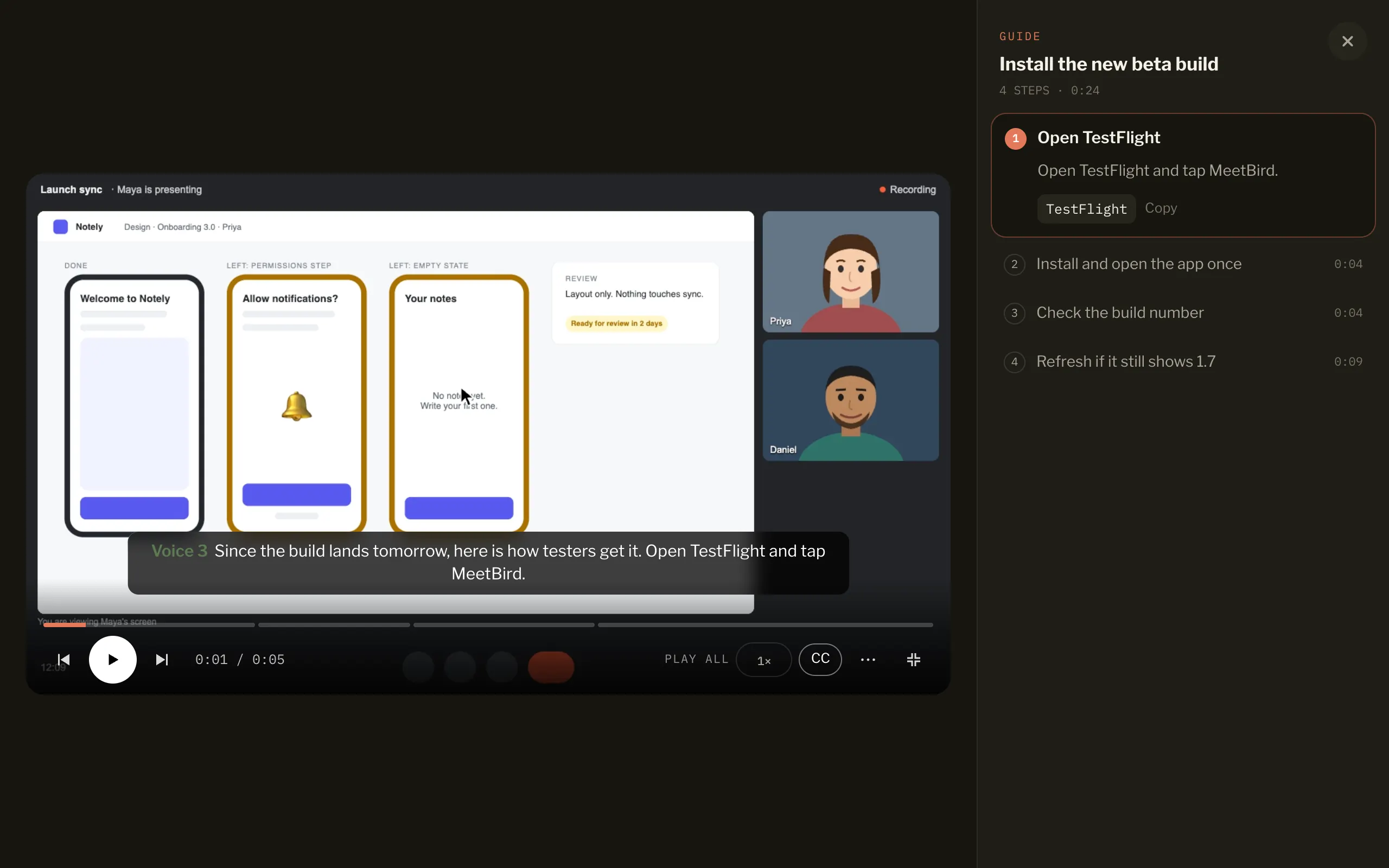
- 3
CC shows the words said on the picture. Under ⋯: Play all steps, the speed, and Open in meeting.
meetbird.ai/meeting/…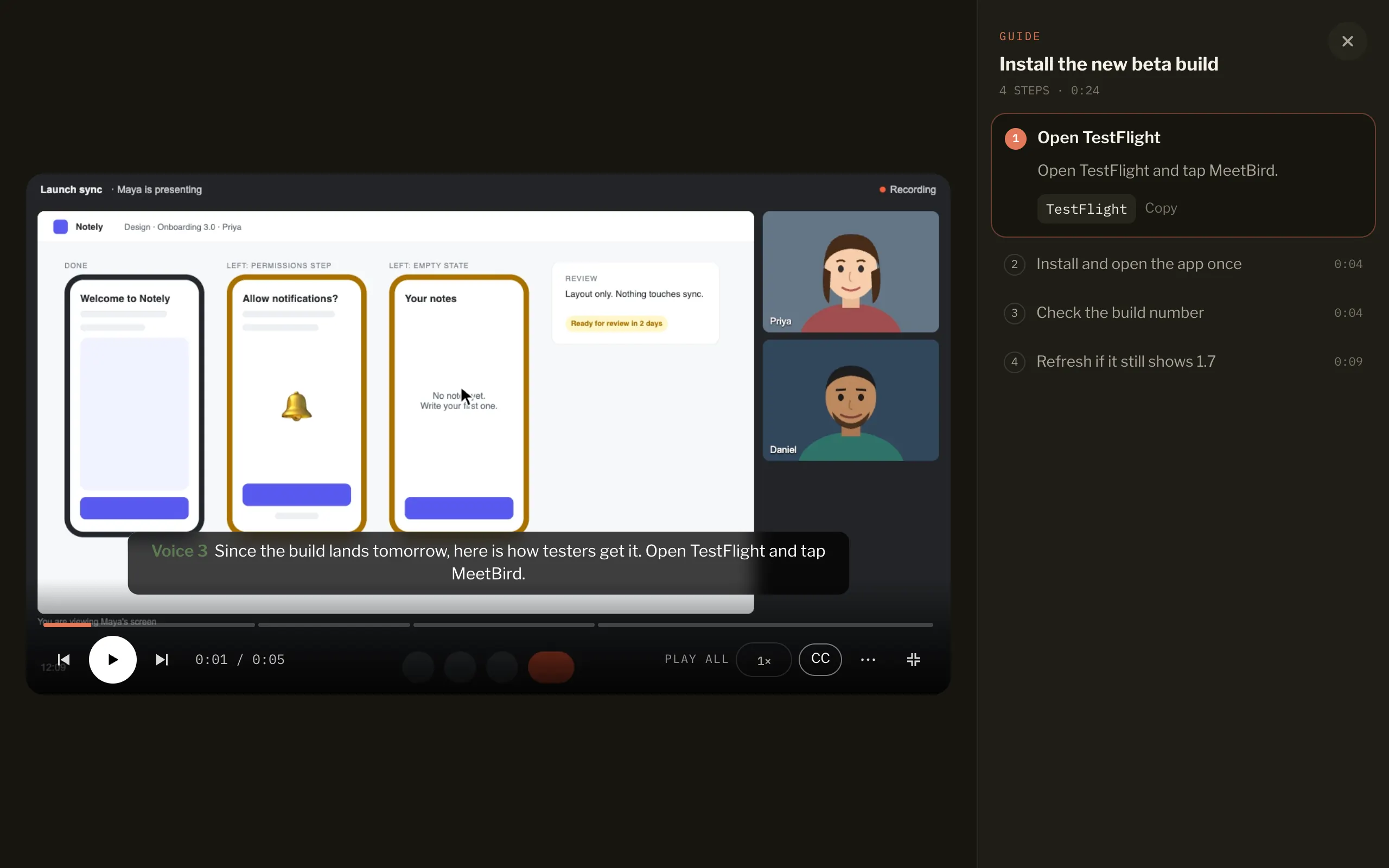
- 1The words said
- 2Play all, speed
- 4
Full screen shows the whole guide: the picture big, and the steps beside it with what to do. Press F or Esc to come back.
meetbird.ai/meeting/…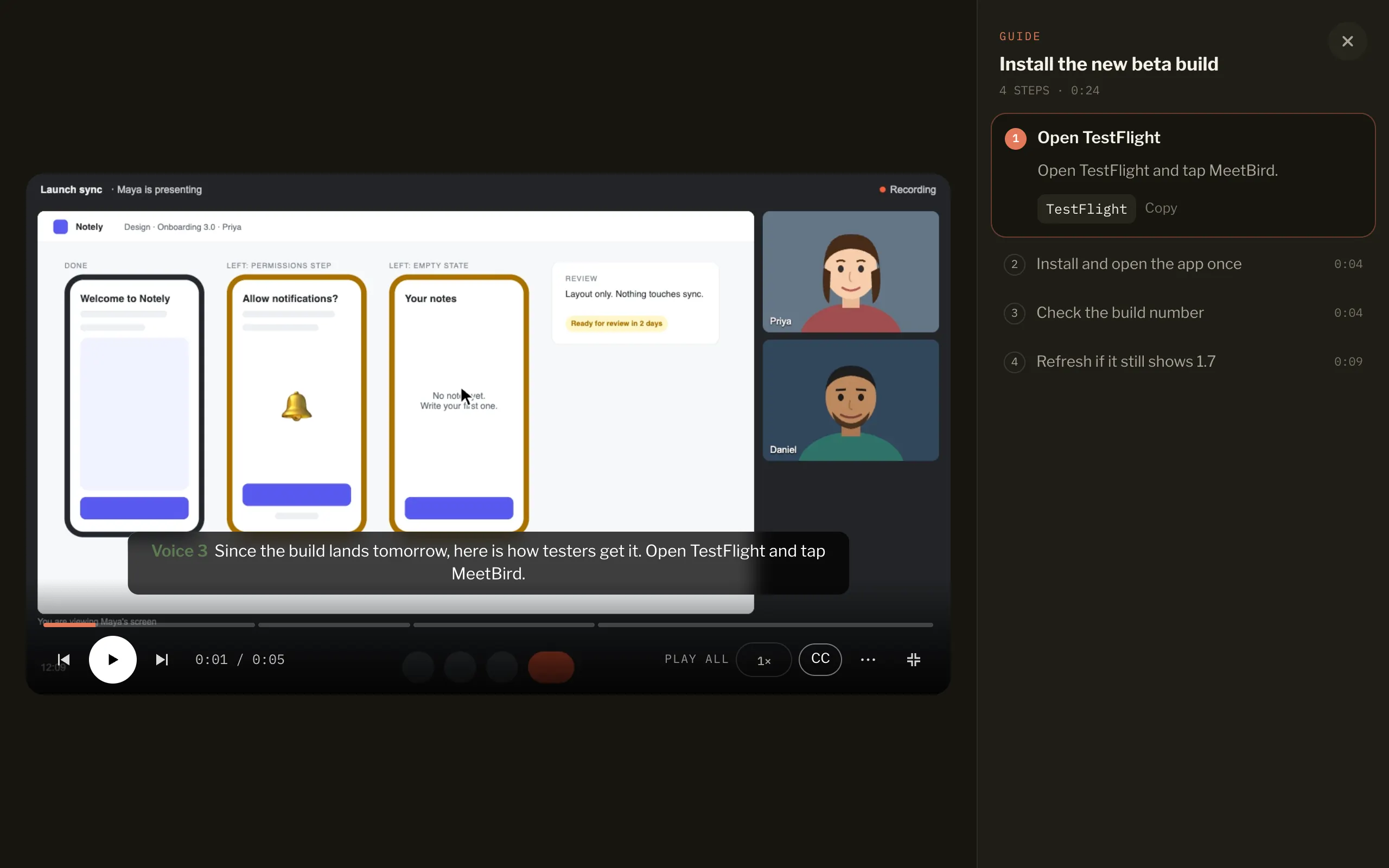
- Playing, the buttons step aside after a moment. Move the mouse to bring them back.
- No video in the meeting? You see who is talking, and hear them.
- Once the meeting’s video is gone, a saved guide still plays the part each step kept.