Meetings that end as tasks on a board
MeetBird writes down what people said they would do, with who and by when. You confirm the real ones, and they move across a board until they are done.
- Every plan, Free too
- On the web
- Nothing goes on the board by itself
QUICK ANSWER
Which AI note taker turns meetings into tasks on a board?
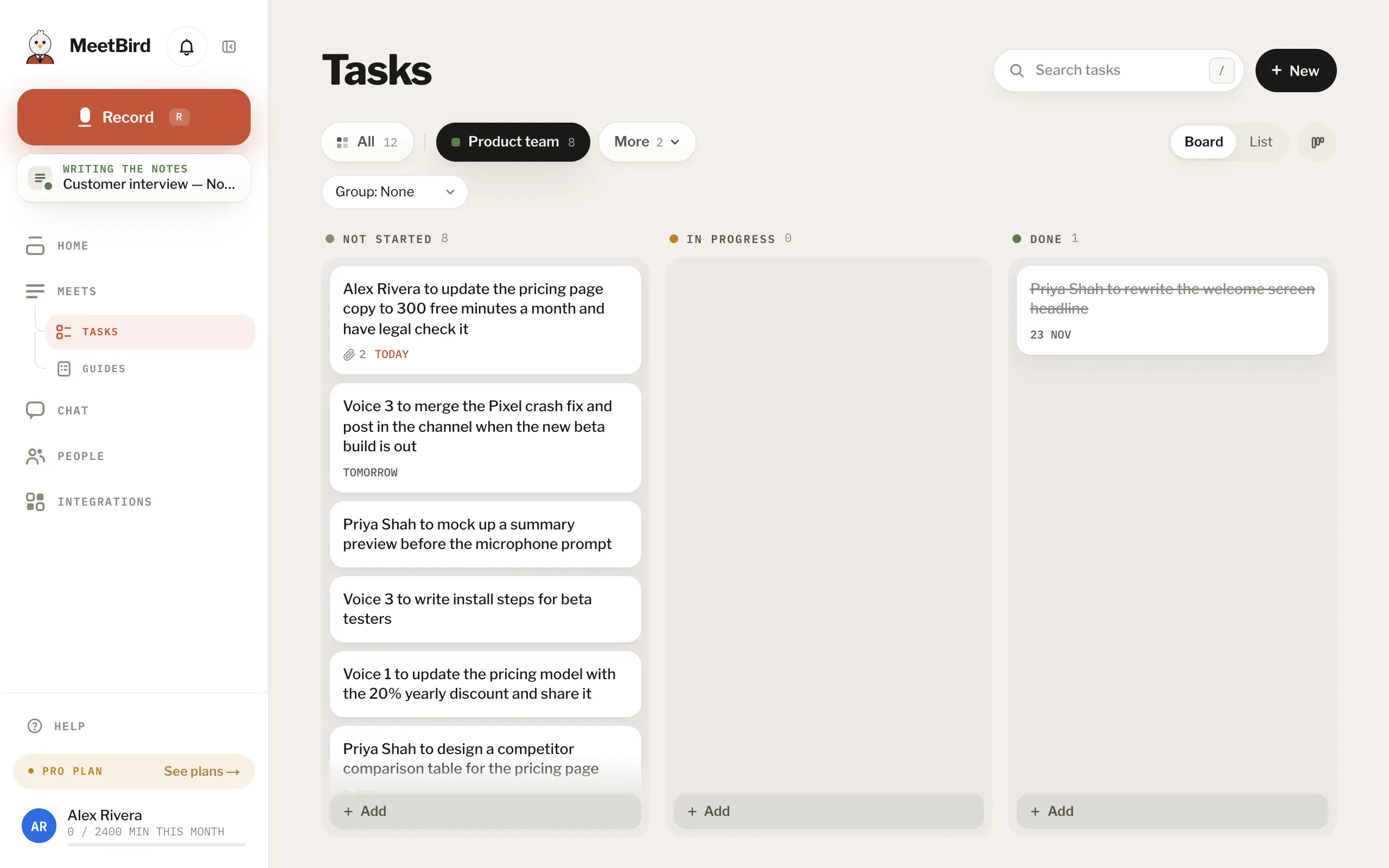
MeetBird does, with the board built in. After a meeting it lists what people took on: who, what, and the date if somebody said one. They wait on the meeting as tasks to confirm. You untick what isn’t real and press Add, and the rest land on a board with columns you can rename. Every task plays the moment it was said, and can carry a picture and a clip of the screen that was shared. The board is on every plan, Free included, so there is no second tool to connect.
Updated . Written by the people who make MeetBird. The people and meetings in the pictures are sample data.
From “I’ll have it by Wednesday” to done
- 1
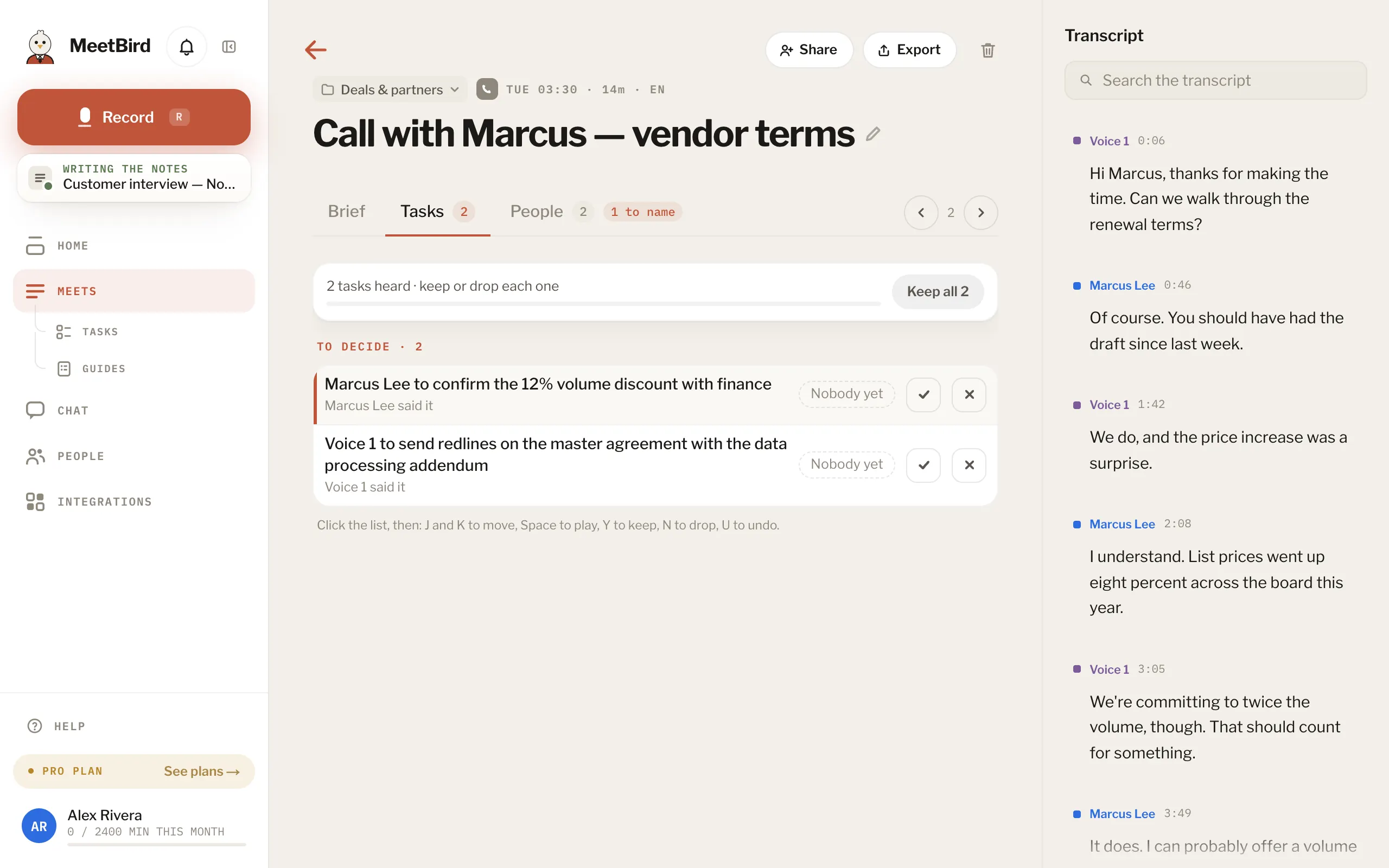
MeetBird lists what people took on
It looks for commitments, not topics. A due date is written only if somebody said it, and a priority only if somebody said how pressing it is. One it isn’t sure about is marked Maybe.
- 2
You confirm
They wait under Tasks to confirm, all ticked. Untick the wrong ones and press Add. If the same work is on your board already, MeetBird says so and Merge keeps one.
- 3
They move on the board
Not started, In progress, Done, or your own columns, up to six for each collection. Switch to a list when you want to read them in order. Group by meeting, or by person on a team.
- 4
Anyone can check what was really said
Press Said at on a task and the meeting plays from just before. Full discussion plays all of it.
What a task holds
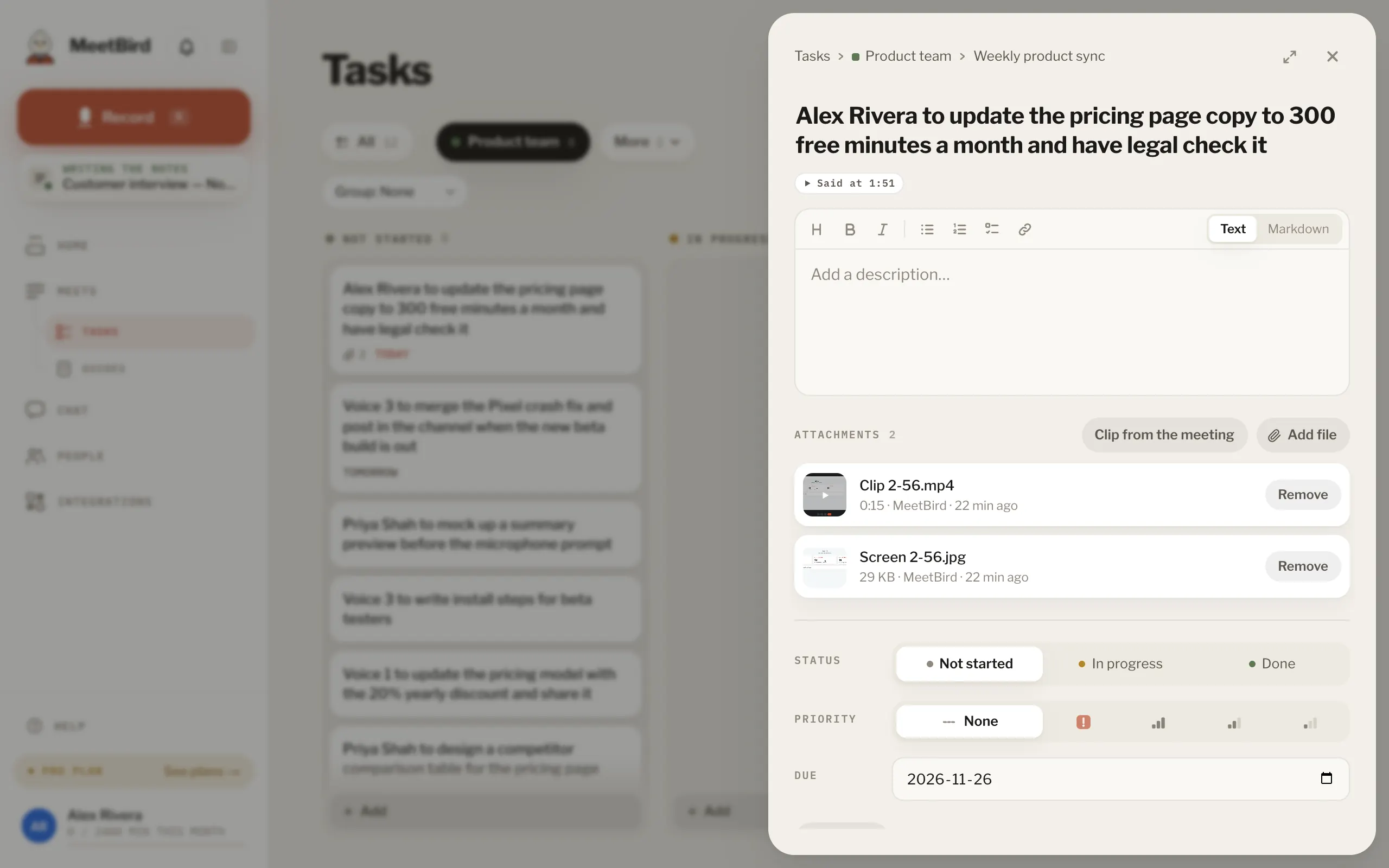
- Owner
- The voice that took it. On a team, any teammate who can see the meeting can be given it.
- Due date and priority
- From what was said, or set by you. Priorities are Urgent, High, Medium and Low.
- Description
- Headings, lists and checklists.
- Attachments
- Files up to 25 MB each, 20 on a task: pictures, video, sound and PDFs open right there.
- The screen
- A picture and a clip of what was shown when it was agreed. See screen pictures and clips.
- Activity
- Who moved it, took it or edited it, and when.
Why a person confirms first
People think out loud in meetings. “We should look at that” isn’t a promise, and a tool that files it as one fills the board with work nobody agreed to. So nothing MeetBird heard reaches a board until somebody says it belongs there. What you confirmed, dropped or edited stays that way when the notes are rewritten.
Work on it from where you are
From Chat
“Add a task to send the deck by Friday.” “Tick the pricing page task.” Every change comes with Undo.
Read more →From Claude
On Pro and up, Claude can add, tick, move, reword, date and assign tasks, if you allow it.
Read more →With your team
On a Team plan, anyone who can see a meeting can do everything with its tasks. Mine shows yours.
Read more →
Questions people ask
Does MeetBird assign tasks automatically?
It writes the name of the person who took the task, from the voice that said it. On a team, it goes to the teammate whose voice took it, once MeetBird knows that voice, and you can give it to someone else. Nothing is assigned outside your team.
Do tasks go to the board by themselves?
No. They wait under Tasks to confirm on the meeting until a person adds them. A task you write yourself needs no confirming.
Can I have different boards?
Yes. Each collection (a client, a project, your one-to-ones) has its own board with its own columns. All shows them together.
Can I add a task that didn’t come from a meeting?
Yes, with Add at the foot of a column, or by asking Chat.
Does it work for recordings I import?
Yes. An audio or video file becomes a meeting like any other, tasks included.
Is the board on the free plan?
Yes. Free is limited by minutes: 60 of recording a month.
Read next
Leave with the list already made.
Record one meeting and see what it thinks people promised. Confirm what’s right, drop what isn’t.