Play a meeting and read along
3 steps
Click any line of the transcript to play from there. As it plays, the line being said is lit.
- 1
Click any line of the transcript: it plays from there, and the line being said is lit as it goes.
meetbird.ai/meeting/…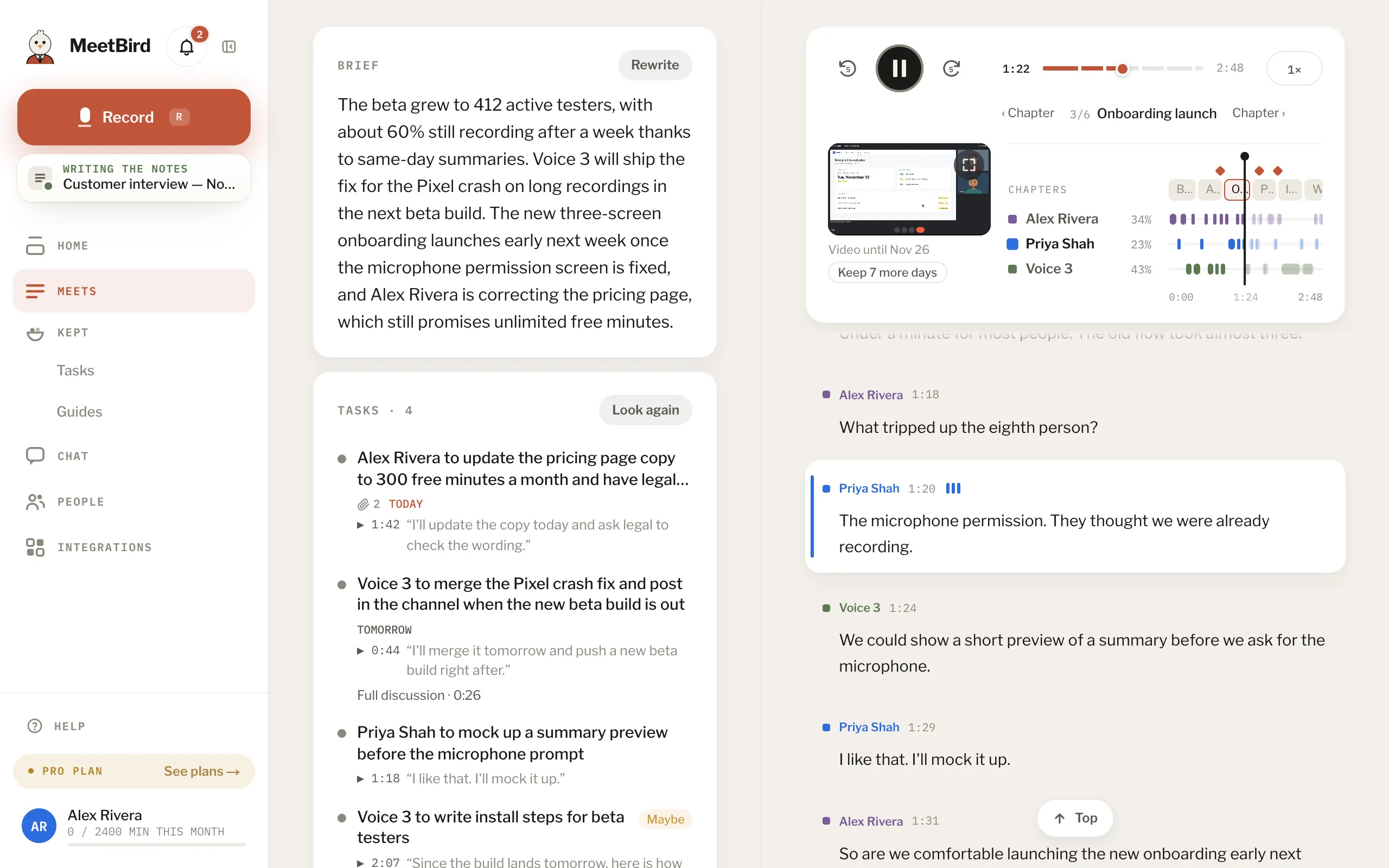
- 2
Or use the player above the transcript: Space plays or pauses, ← and → skip five seconds. On a wide screen, the speed button plays it up to 2× faster.
meetbird.ai/meeting/…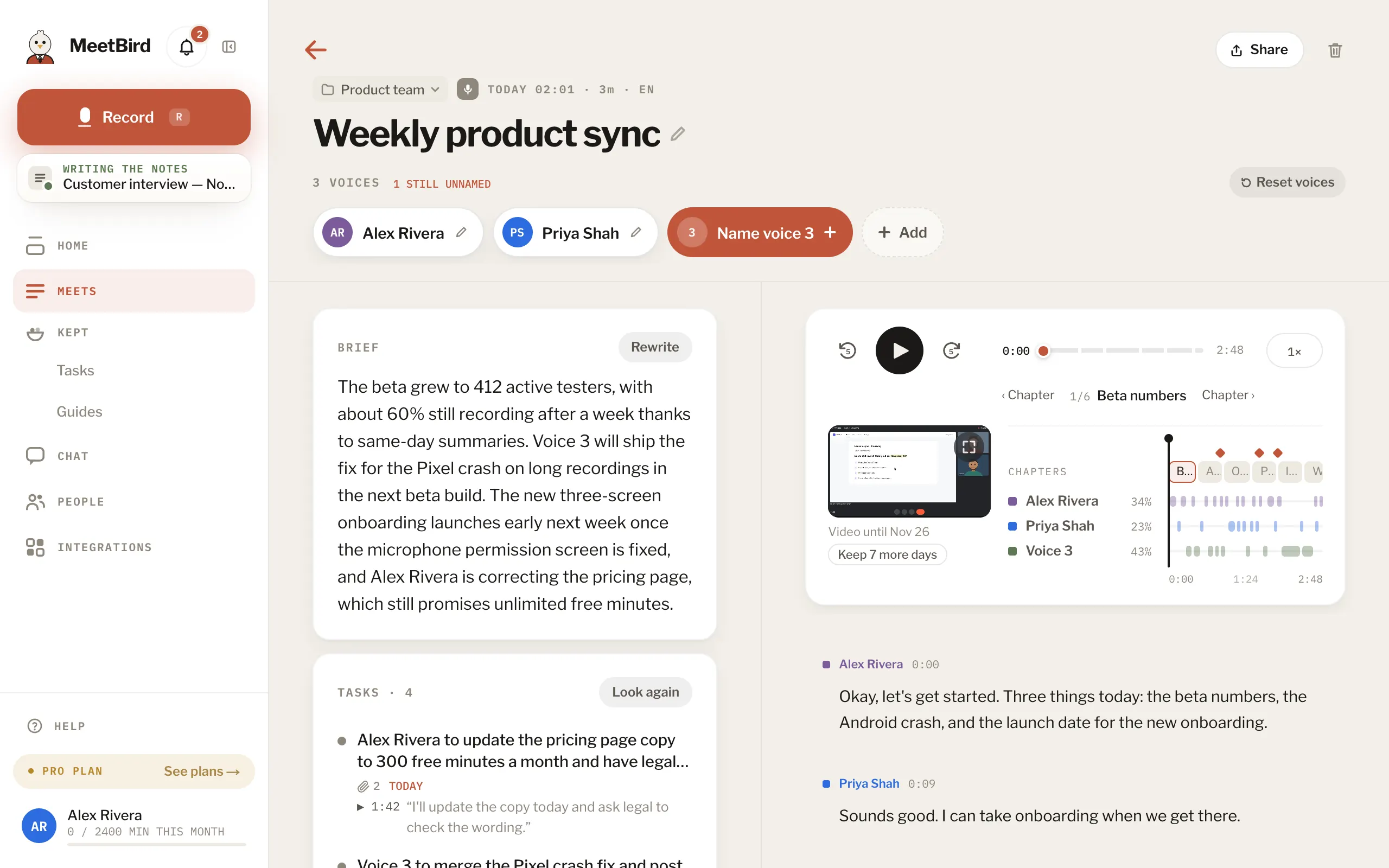
- 1Play or pause: Space
- 2Back 5 seconds: ←
- 3Forward 5 seconds: →
- 4Speed, up to 2×
- 3
Was a screen shared? It plays small in the player, in step with the words. Press it to watch it big, with the transcript beside it. Press the full screen button there to fill your screen.
meetbird.ai/meeting/…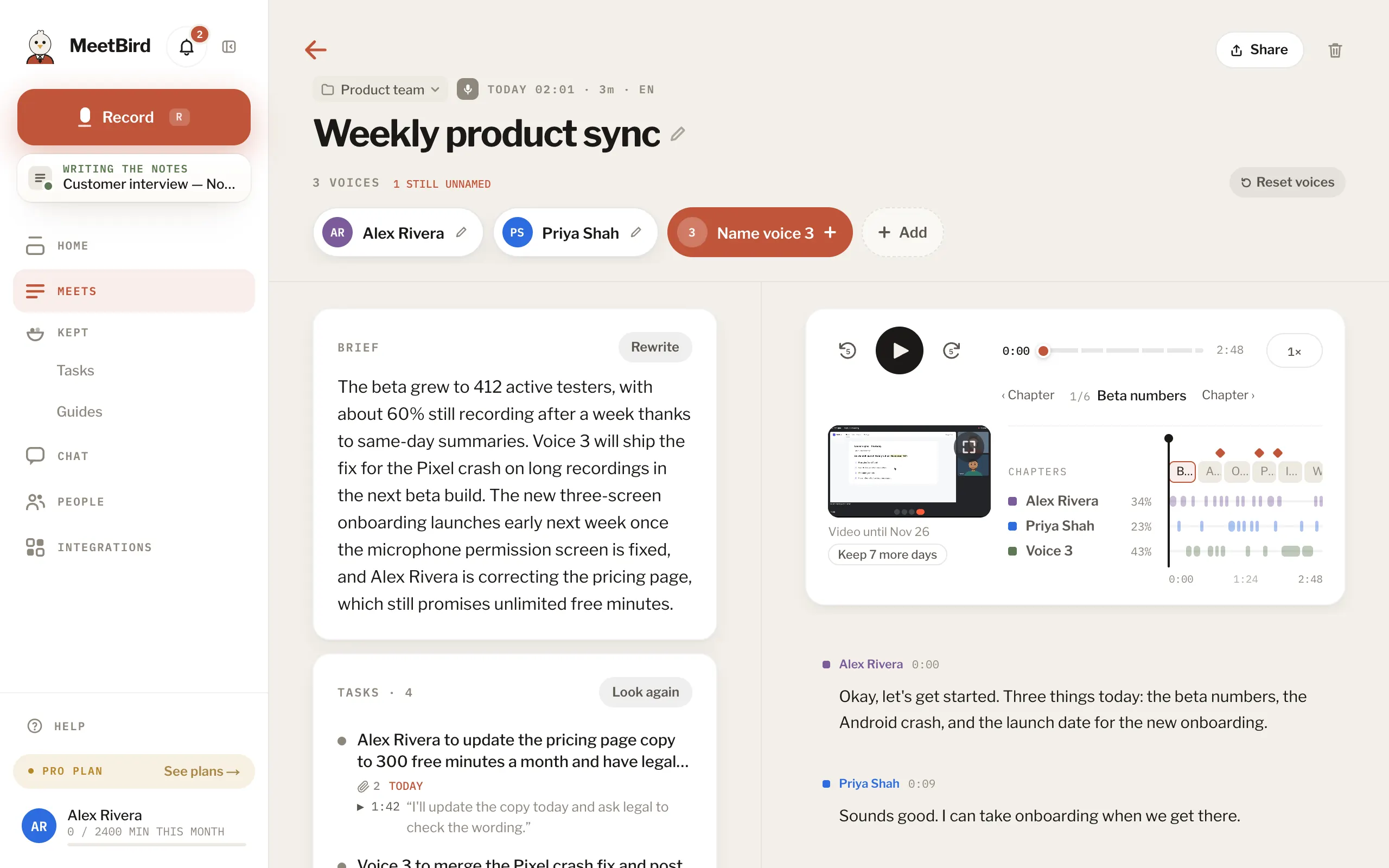
- Scroll away and the transcript stops following; Follow brings it back.
- Press Esc to leave the big view. The meeting keeps playing.
- Under the screen, Video until says the last day it plays. Then only the sound plays. In its last days, whoever recorded it can press Keep 7 more days.
- No player? The audio was deleted after the summary. See Keep or delete the audio.