Choose who sees a team collection
Team3 steps
A team collection is for the people in it. When you make one, keep Only people I pick and tick who should see it, say the marketing people for #marketing. Everyone on the team opens it to the whole team.
- 1
Open Team, then Collections, and press New team collection. Wherever you file a meeting (while recording, after you stop, on a meeting, on Meets or Tasks), New team collection opens the same sheet.
meetbird.ai/team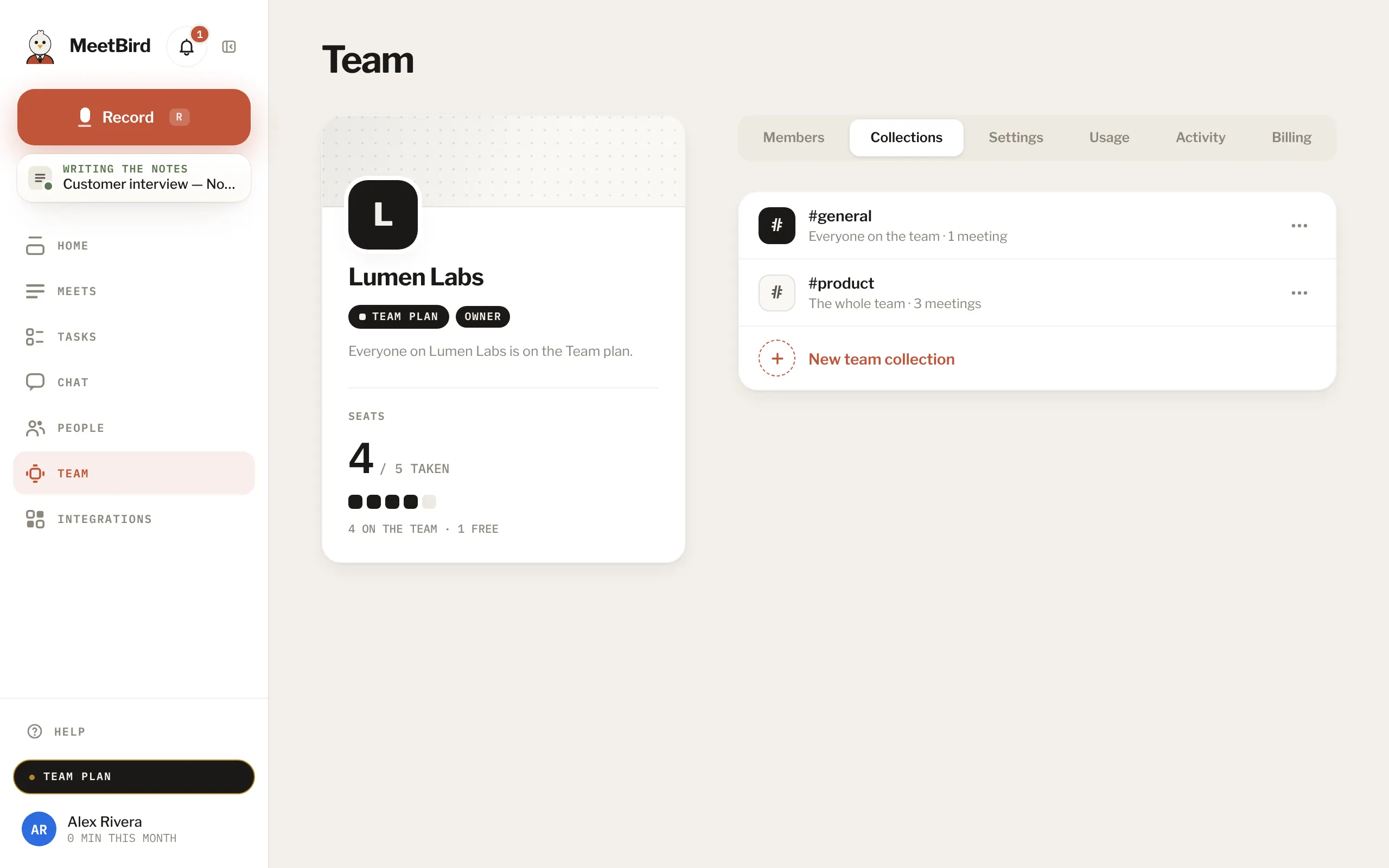
- 2
Type its name and keep Only people I pick. Tick the teammates who should see it. You’re always in it. Press Create.
meetbird.ai/team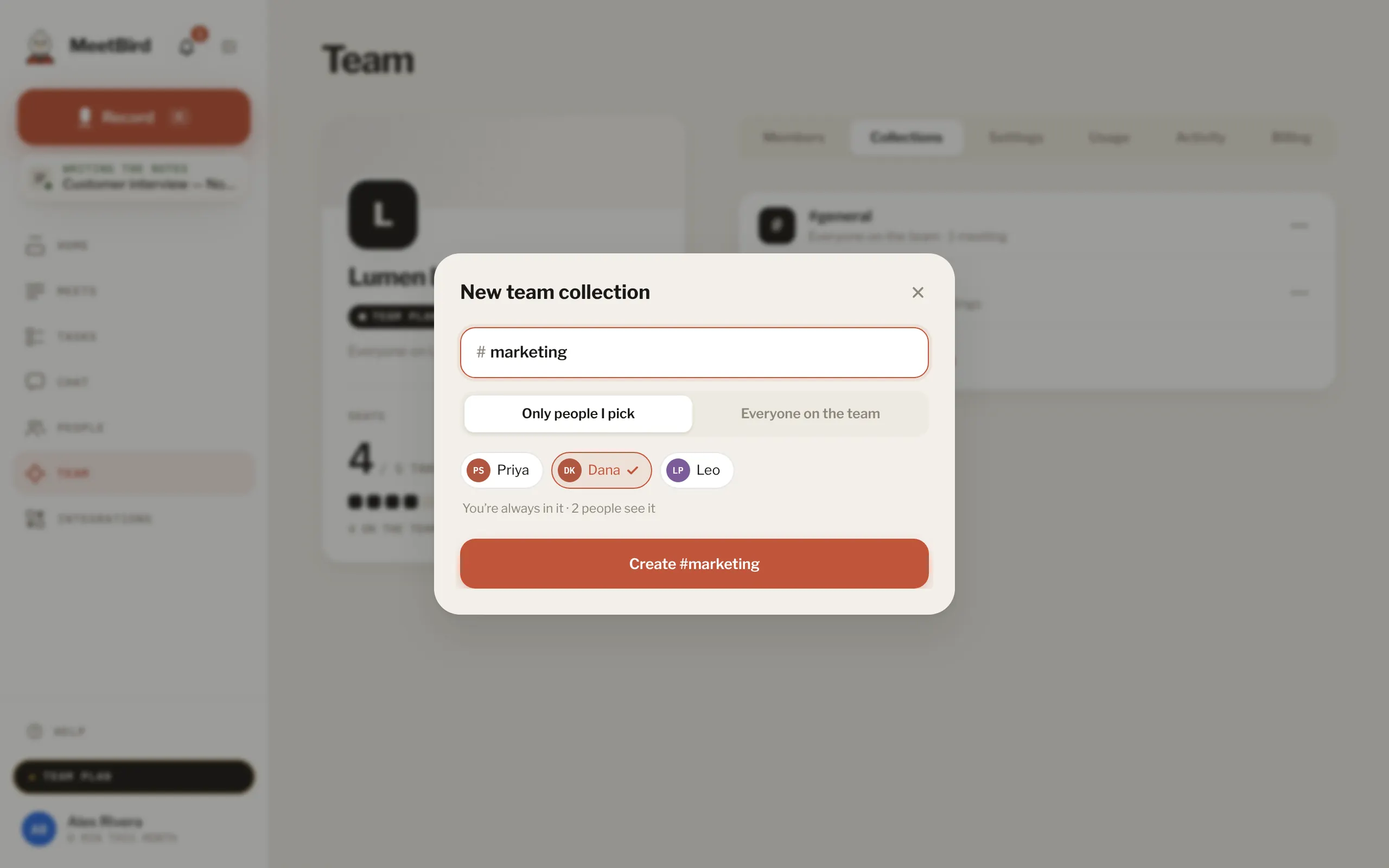
- 1Its name
- 2Only people I pick
- 3Tick who sees it
- 4Create it
- 3
To change it later, open the collection on Team under Collections and switch between Only people I pick and Everyone on the team. Picking people takes everyone else out, with its meetings.
meetbird.ai/team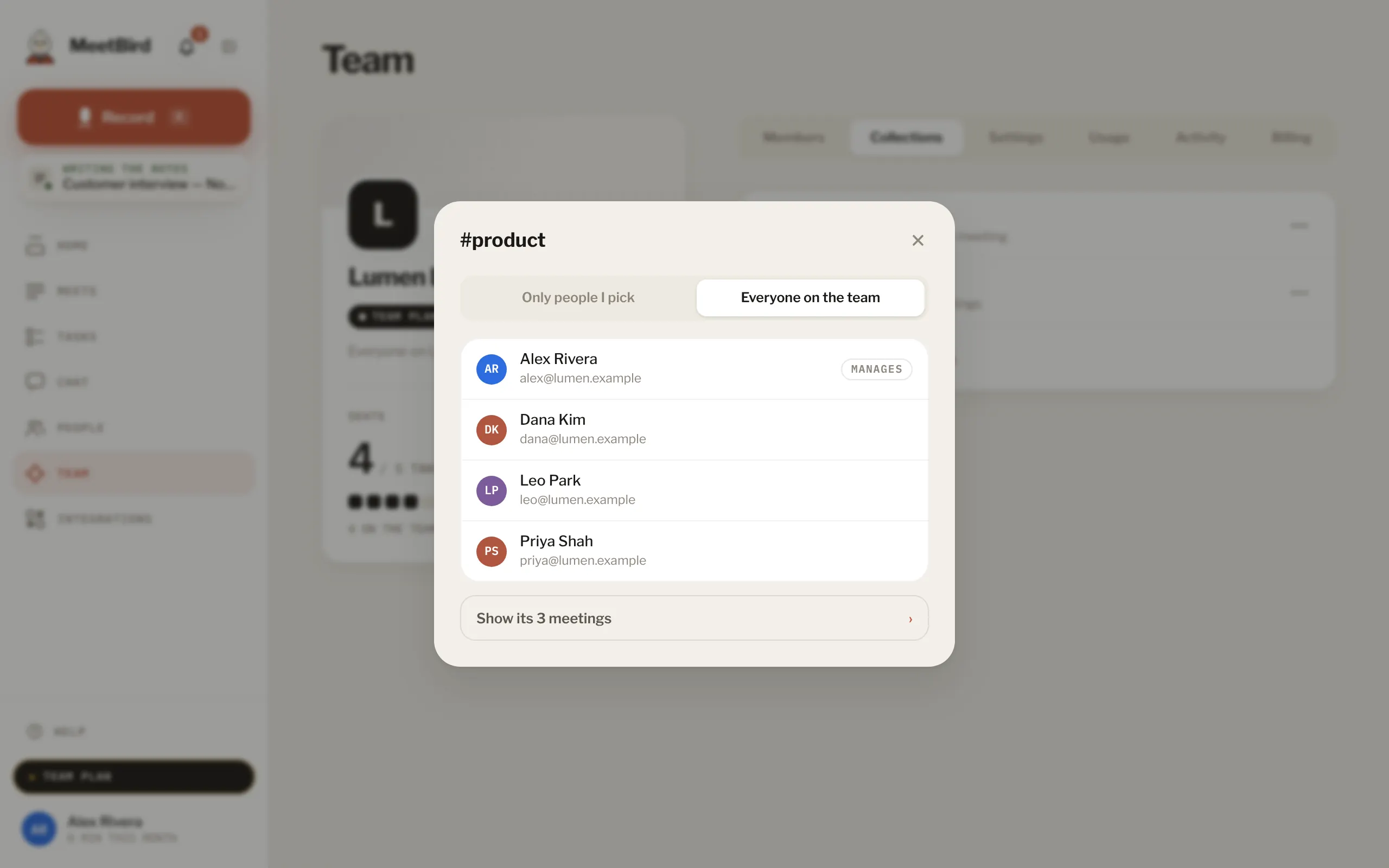
- Whoever made the collection and the team’s admins change who sees it. #general is always the whole team’s.
- Someone who was in a meeting but isn’t in its collection sees it only if you share it with them.