Guides: what someone showed you how to do
3 steps
When someone in a meeting shows how to do something, MeetBird writes it down as a Guide: the steps, the moment each one was said and, when a screen was shared, a picture of it. Press Save to collection to keep it. Saved guides are in Kept › Guides.
- 1
Open the meeting. Under the brief, a card says Guide. Press it to read it step by step.
meetbird.ai/meeting/…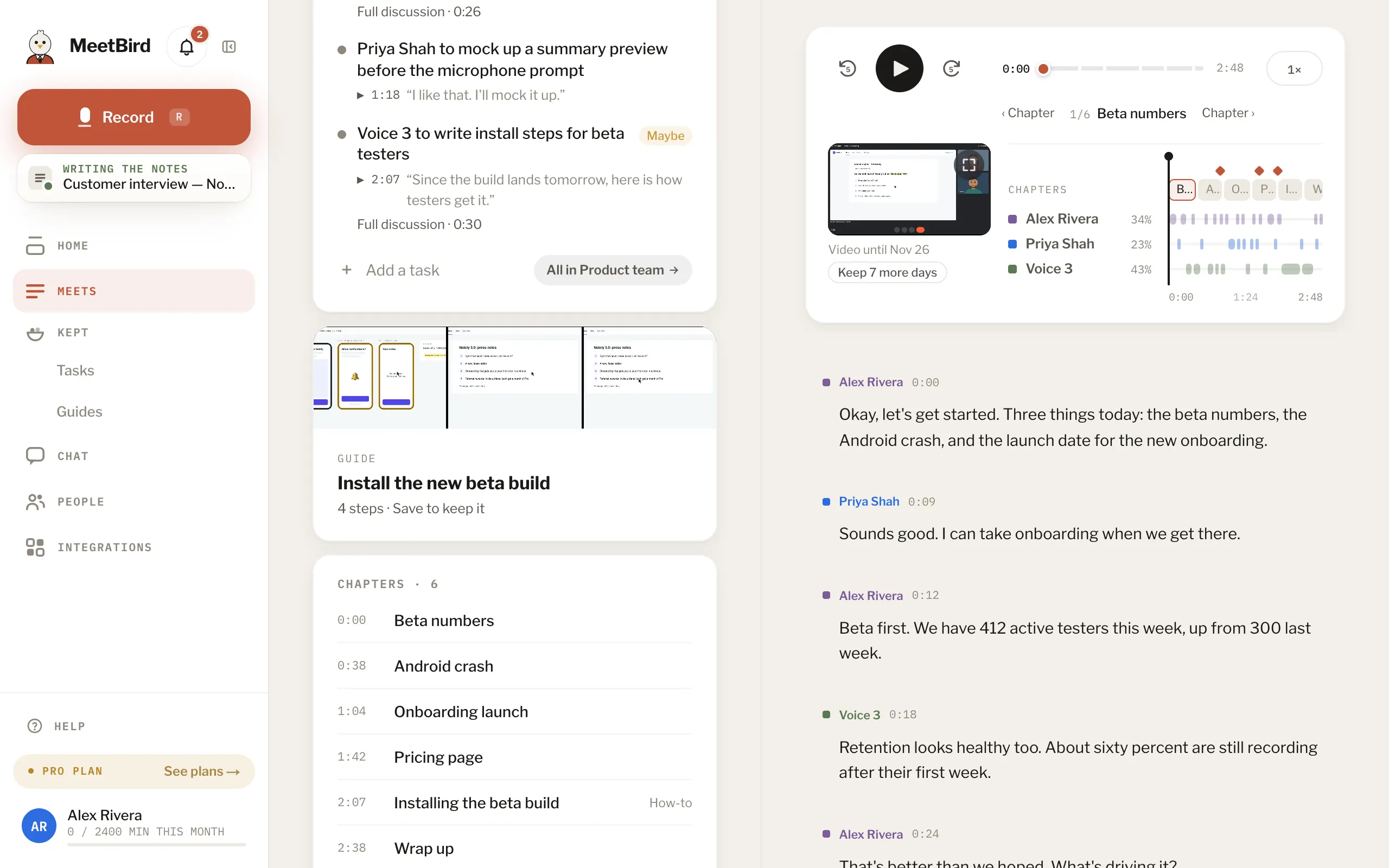
- 2
Press Save to collection and pick one, or Keep it without a collection.
meetbird.ai/meeting/…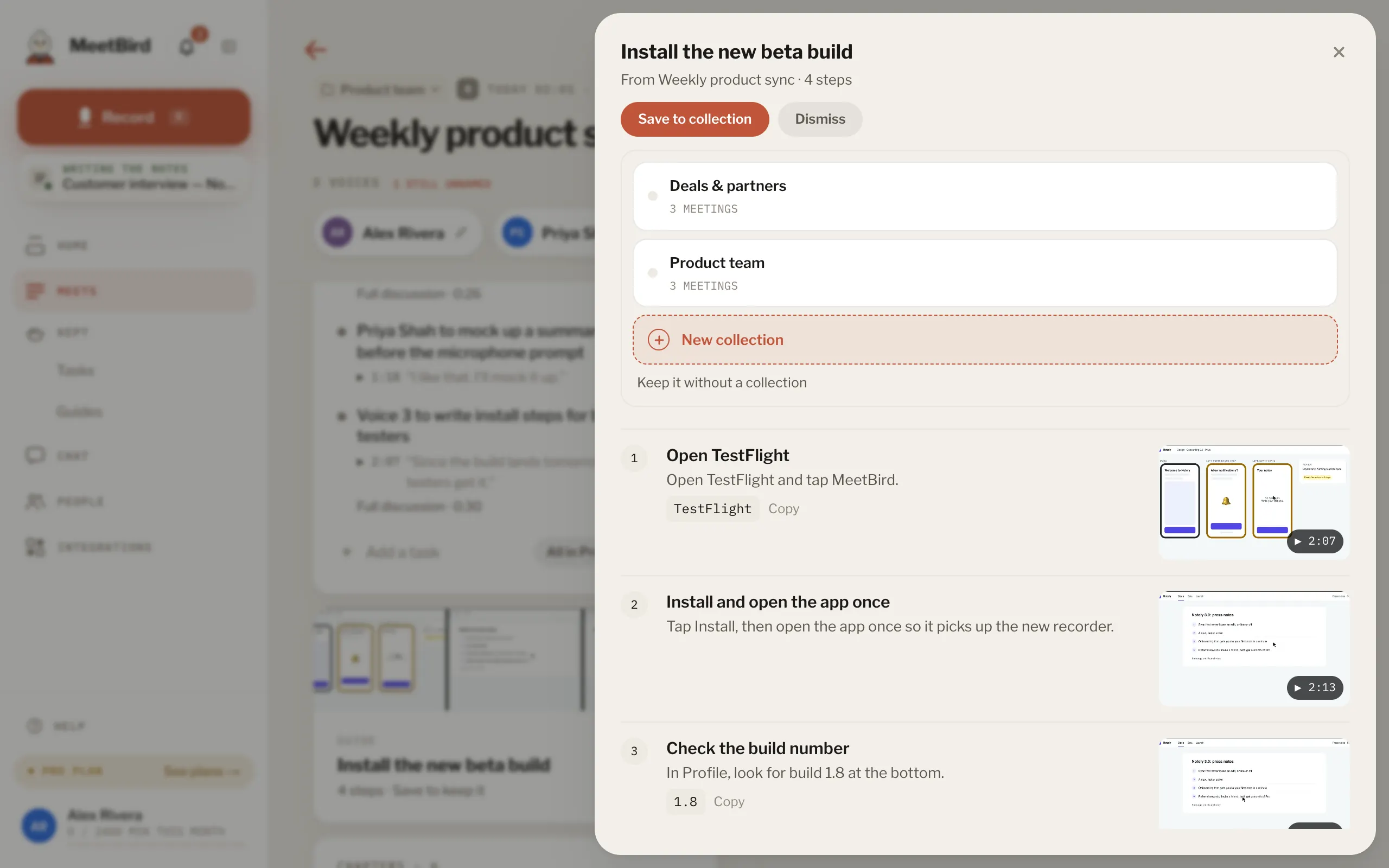
- 1Save to collection
- 2Pick a collection
- 3
Find it later in Kept › Guides: by collection, or with Search guides.
meetbird.ai/guides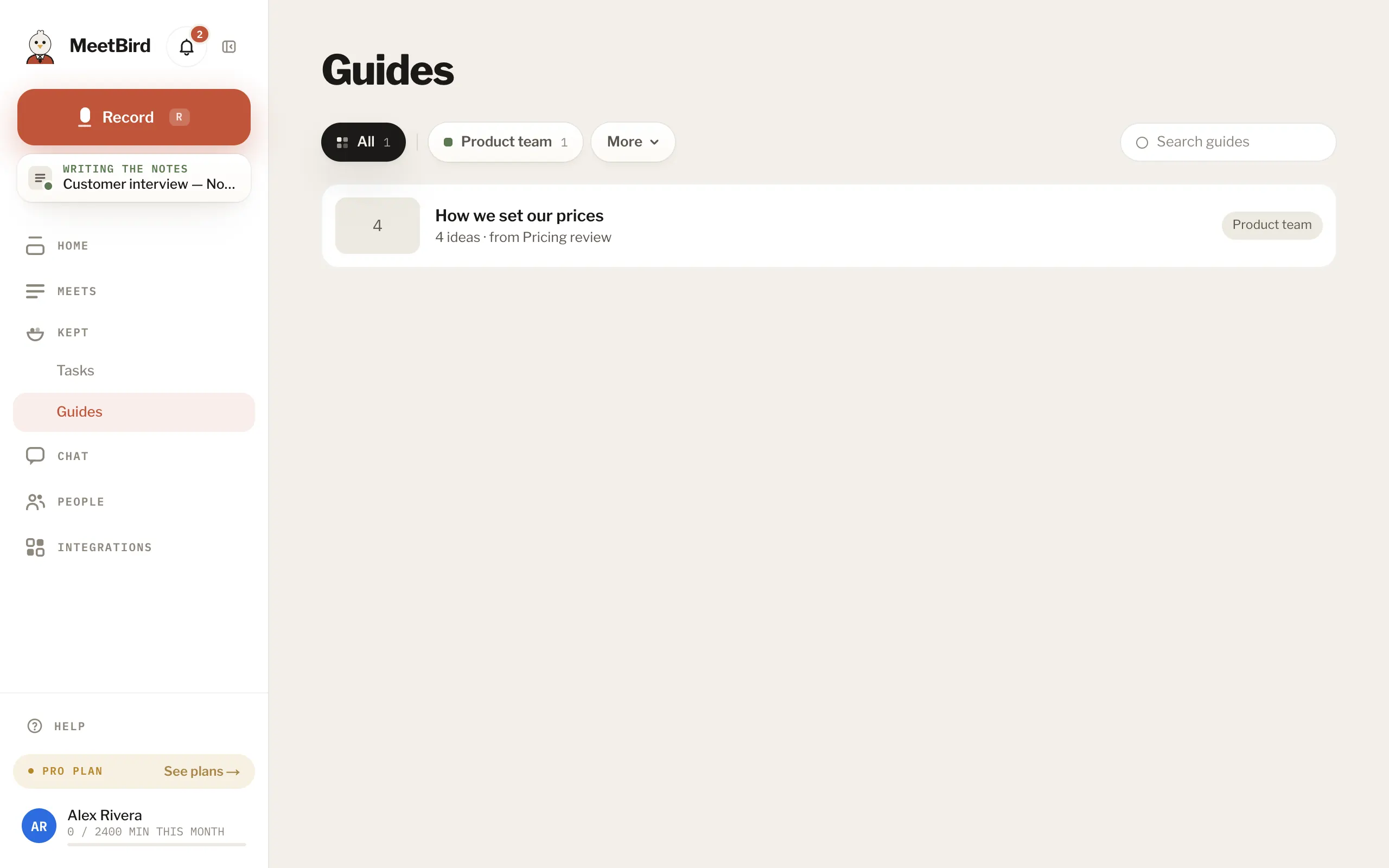
- 1Kept › Guides
- 2By collection
- 3Search guides
- Each step can play the moment it was explained. Playing a step comes with Pro; the steps and pictures are on every plan.
- Watch out lists the mistakes the speaker warned about. Try this lists what they told you to go and try.
- Most work meetings have no guide. That’s normal: a guide only comes when someone really walked others through something.
- Don’t need it? Press Dismiss.