When your minutes run out
2 steps
Recording never stops. The part of a meeting past your minutes is kept but locked: you see who spoke and when, not what was said. It opens when you have minutes for it.
- 1
Open the locked meeting.
meetbird.ai/meets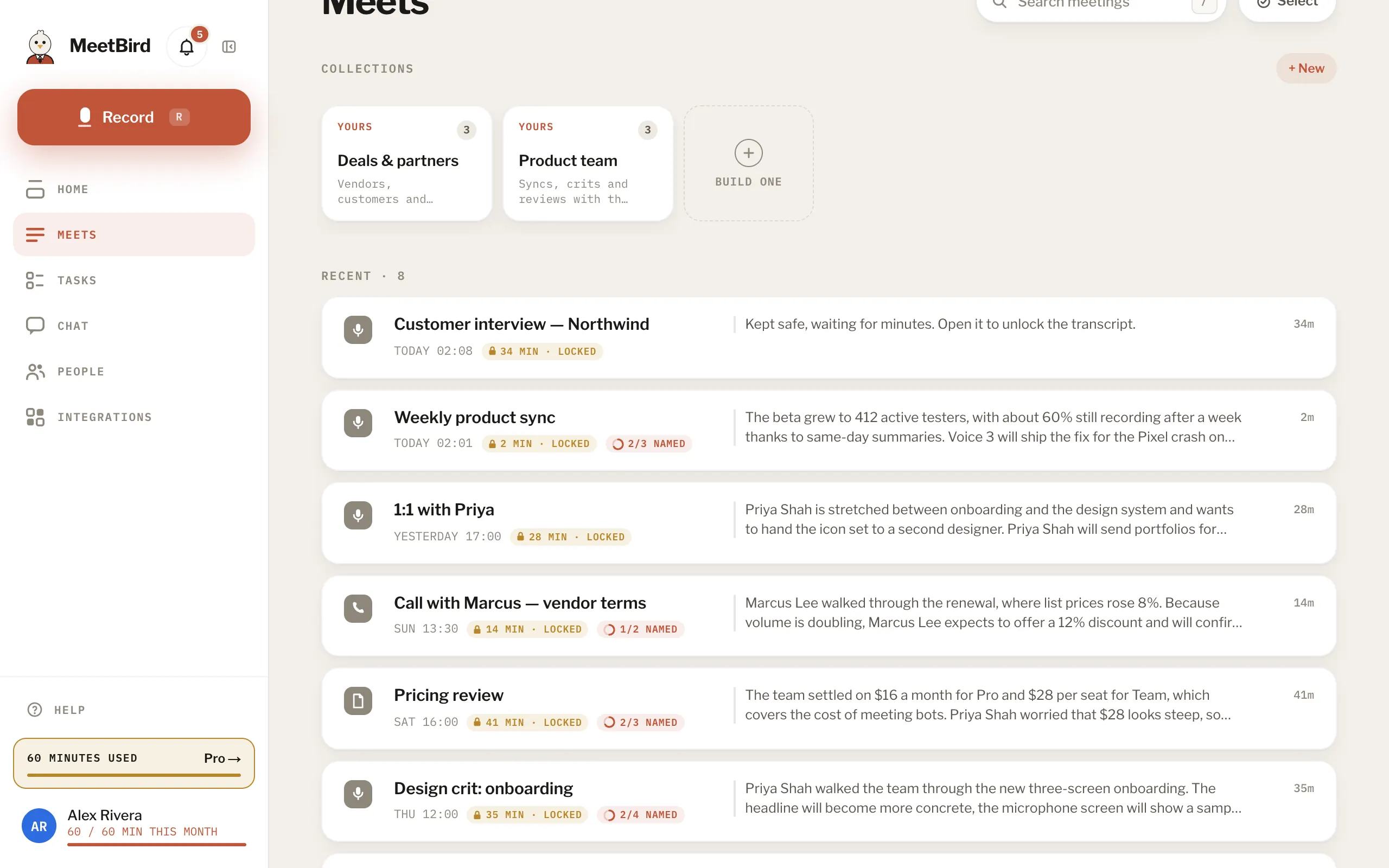
- 2
Press Unlock · uses … min if you have minutes left this month. Or press Unlock everything with Pro, or add minutes that never expire.
meetbird.ai/meeting/…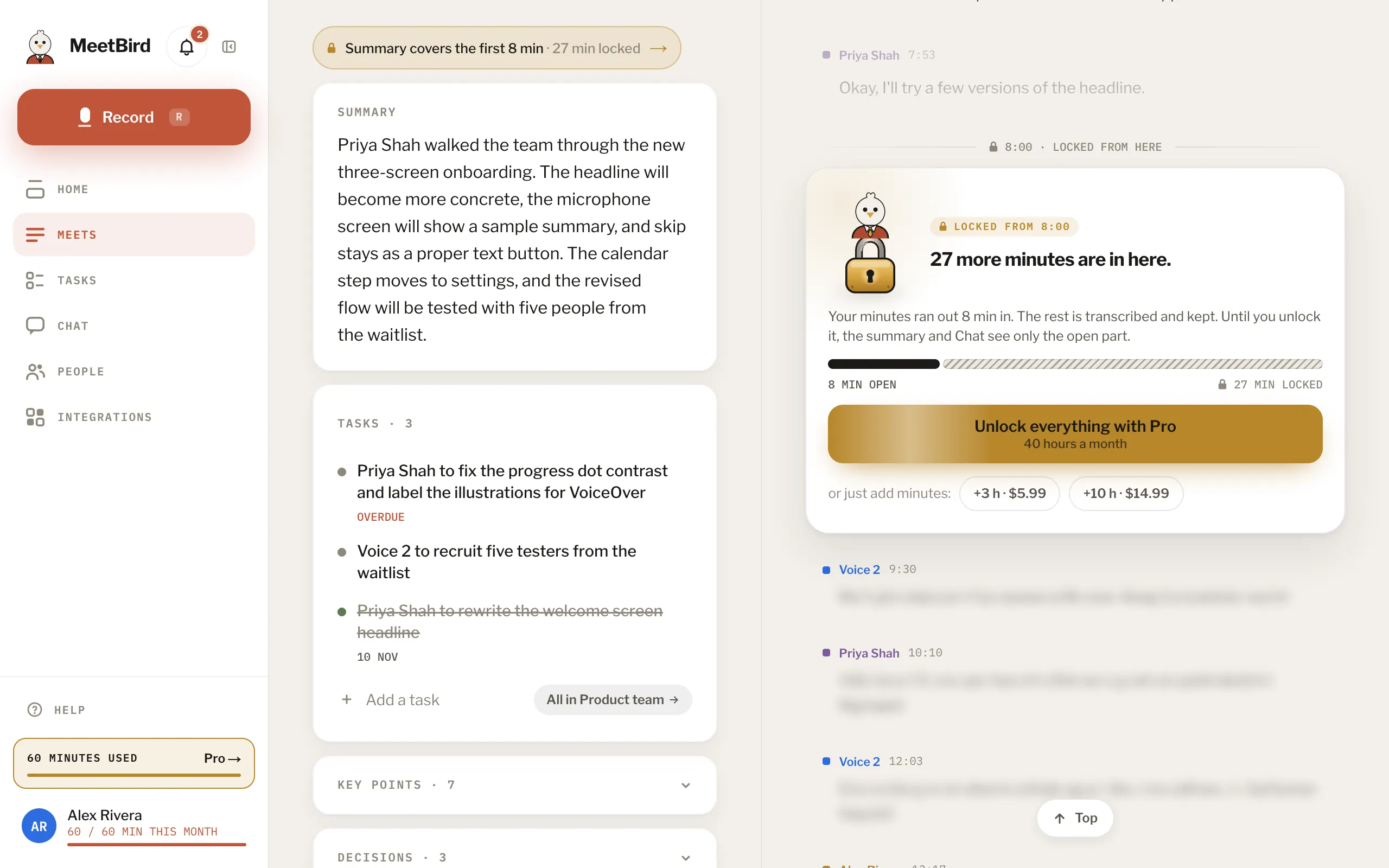
- Your month starts over on the 1st (UTC). After that, Unlock works with the new month’s minutes.
- Less than a minute over isn’t locked. Only the person who recorded it can unlock it, because it uses their minutes.
- Going Pro unlocks your locked meetings by itself, newest first.