Where tasks come from
2 steps
MeetBird writes down what people actually took on in a meeting: who, and the due date if someone said one. A person confirms them before they go on a board: they wait on the meeting under Tasks to confirm. You can add your own too: Add a task on a meeting, or on a collection’s board.
meetbird.ai/meeting/…
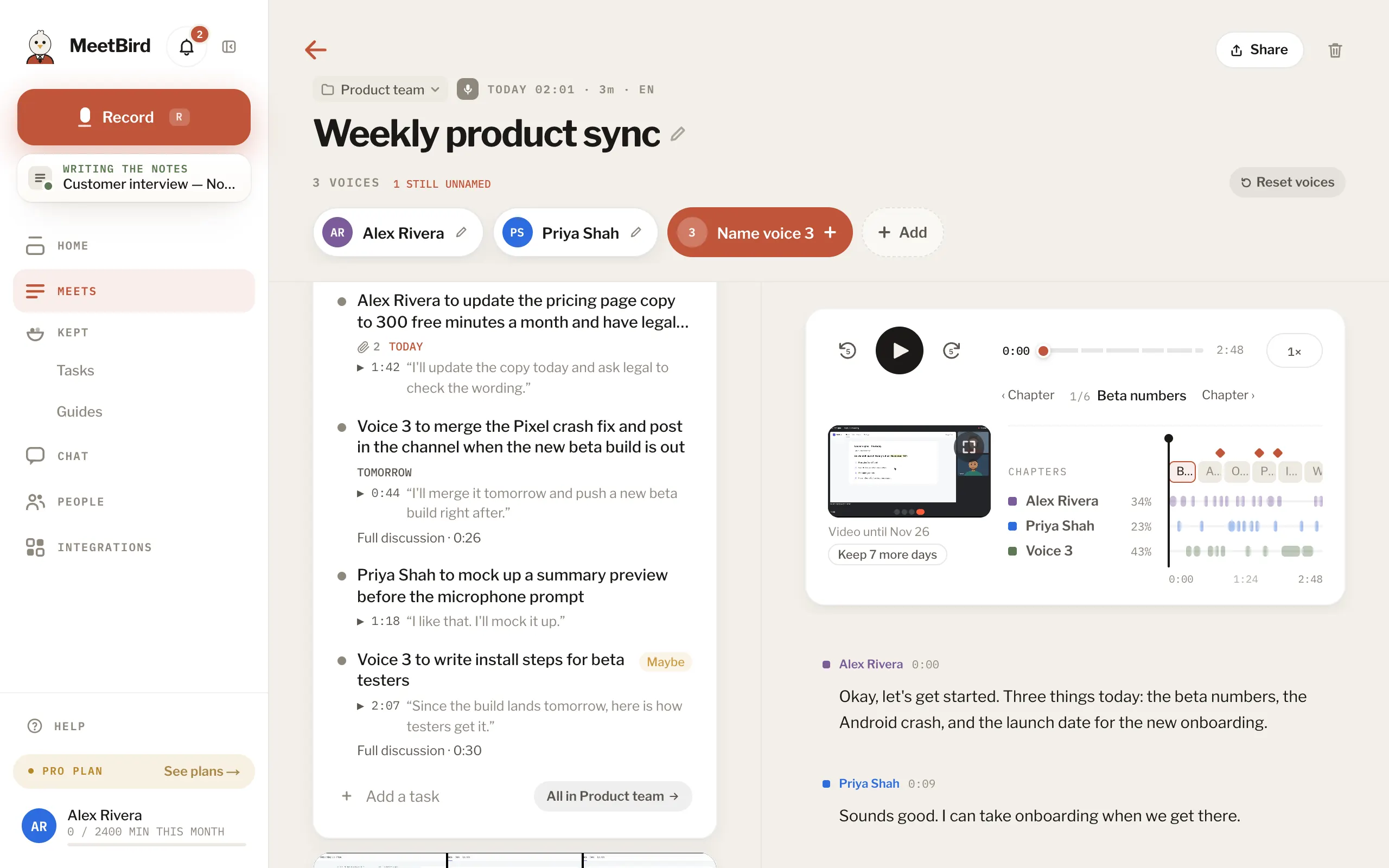
- 1Who took what on, and when
- 2Add your own
- 3Its collection’s board
- 1
Open the meeting. Every task the bird heard comes ticked: untick the ones that aren’t real, then press Add to put the rest on the board. The unticked ones are left out.
meetbird.ai/meeting/…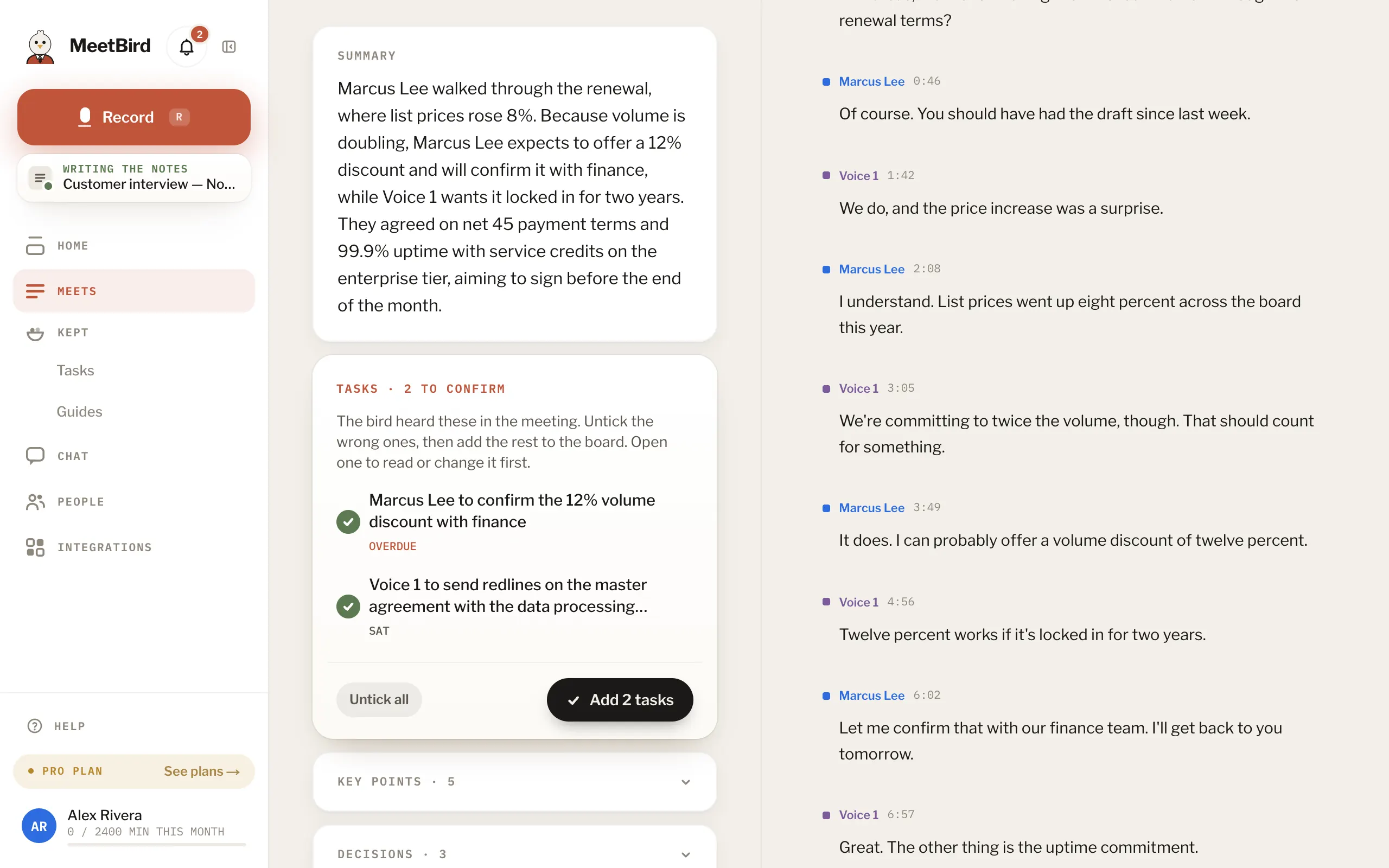
- 1Untick a wrong one
- 2Add the rest
- 2
Press a task to read it or change it first. Confirm and Drop are on top of it, and either one takes you back to the list.
meetbird.ai/meeting/…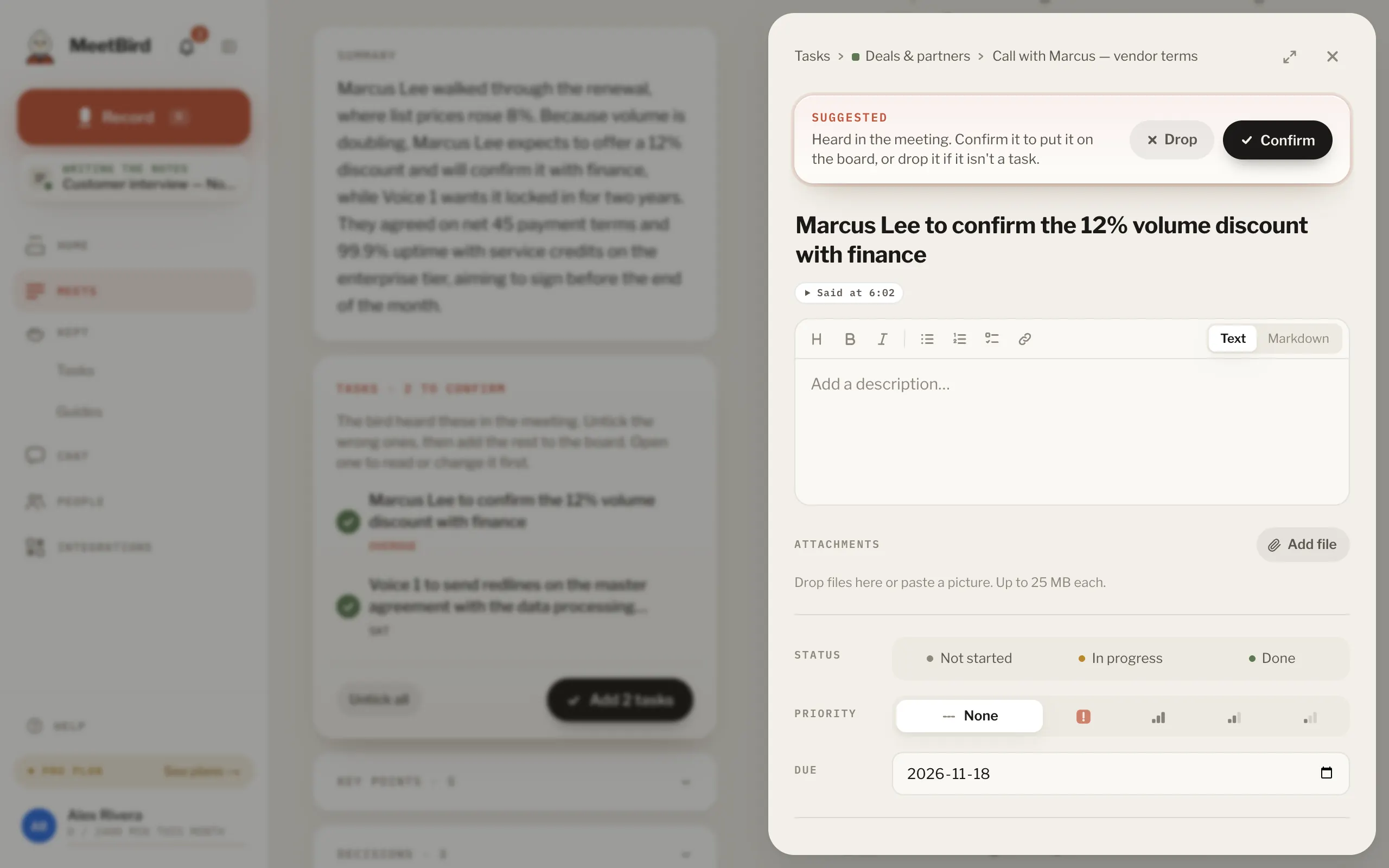
- On the iPhone they come one card at a time: swipe right to keep one, left to drop it, or press Keep all.
- Undo right after takes it back. A task you add yourself needs no confirming.
- Or ask: “Remind me to send the contract on Friday.”
- Your edits, and what you confirmed or dropped, stay when a summary is rewritten.
- A task with a small Maybe tag is one MeetBird wasn’t sure was agreed. Confirm it or drop it like any other.