Collections: file meetings together
3 steps
A collection is a folder for meetings. Use one for a client, a project or your one-to-ones. Make one with + New on Meets, then file meetings into it.
- 1
In Meets, press + New, give it a name and press Create collection.
meetbird.ai/meets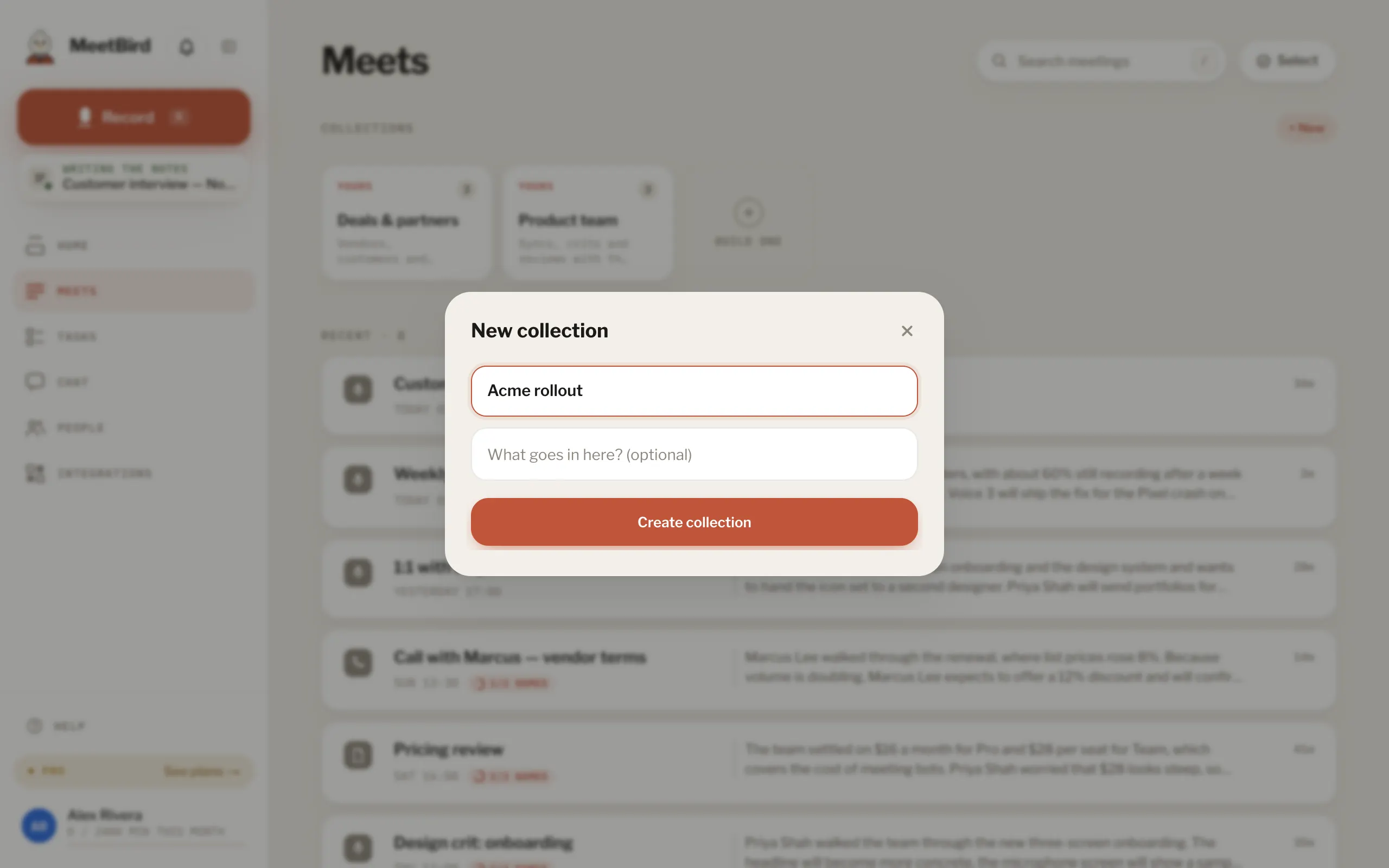
- 2
File a meeting into it: before recording (File this one under), when you name it, or by selecting meetings in Meets and pressing File under.
meetbird.ai/meets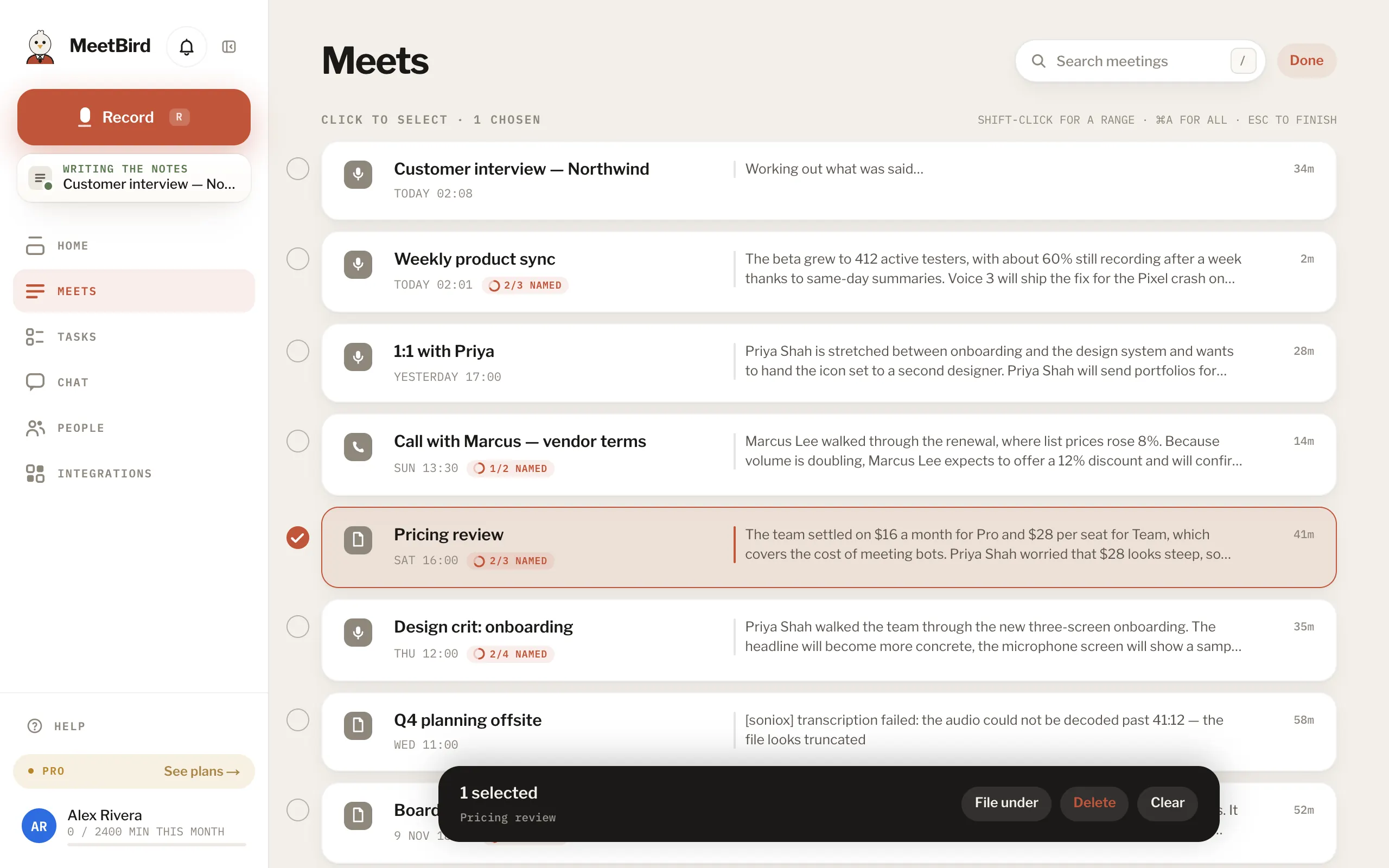
- 3
Click the collection’s card to see its meetings.
meetbird.ai/meets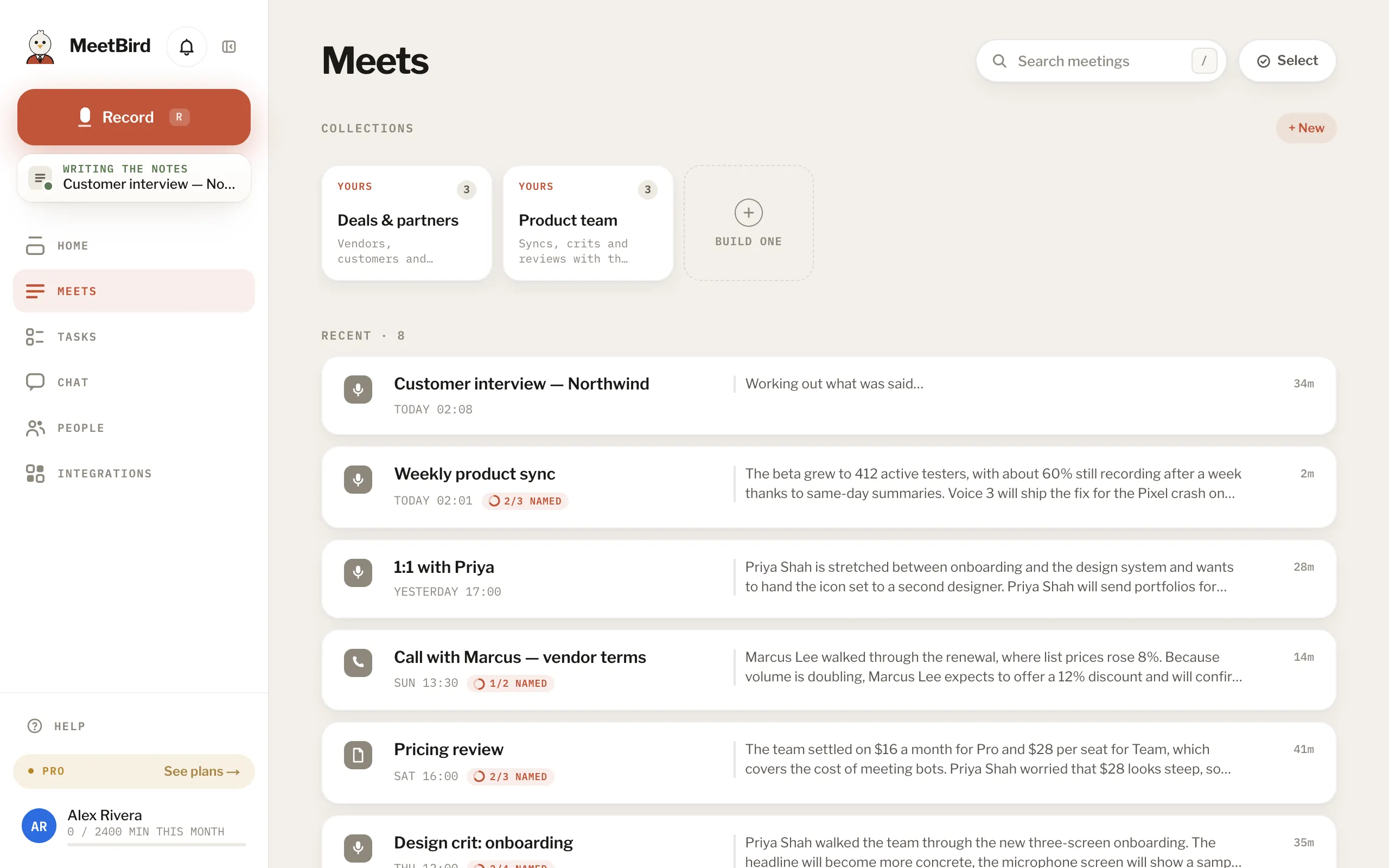
- Pin up to five from a card’s ⋯. Pinned ones come first in the row, and the pins are saved to your account.
- Delete… keeps the meetings but deletes the tasks written on that collection’s board.
- Or ask: “File my last meeting under Acme.”