An AI that answers from all your past meetings
Ask the way you would ask a colleague who was in every one of them. You get the answer, the line it came from, and a button that plays the moment.
- Every plan, Free too
- Web
- Also from Claude, on Pro and up
QUICK ANSWER
What AI can answer questions about all my past meetings?
MeetBird’s Chat searches every meeting you recorded and the ones shared with you, reads what was said, and answers with the meeting, the words and the moment to play. You don’t choose a meeting first. It also acts: it adds and ticks tasks, renames and files meetings, plays a moment, starts a recording, and every change comes with Undo. It looks at pictures, clips, PDFs and Word files on your tasks too. On Pro and up the same meetings can be asked from Claude. Free has 30 questions a month. Typed answers are in English, whatever language the meeting was in.
Updated . Written by the people who make MeetBird. The people and meetings in the pictures are sample data.
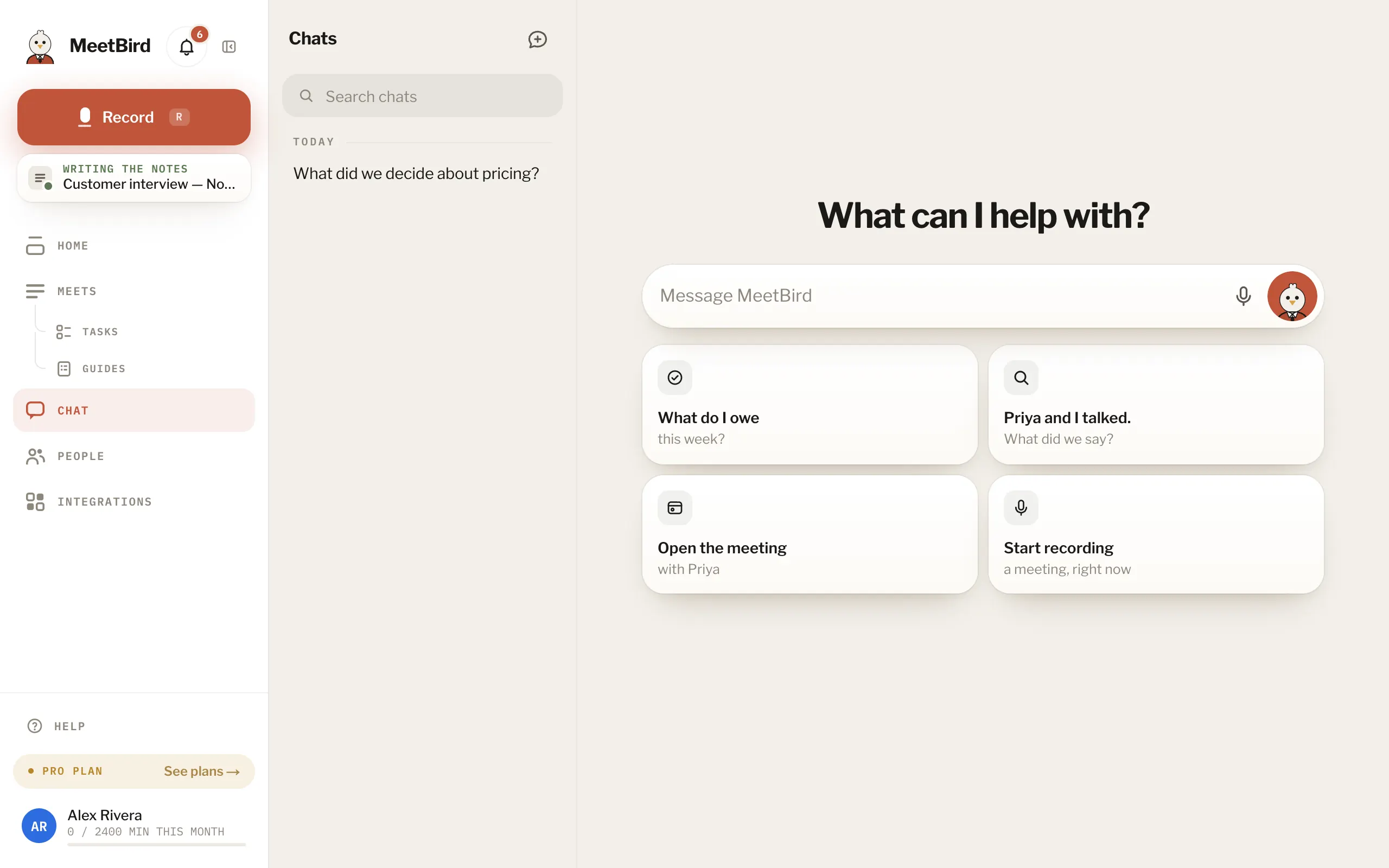
Things people ask
- What did Sam and I decide about pricing?
- What do I owe this week?
- Find where Ada talked about onboarding.
- What was on the screen when we agreed the launch date?
- Rename my last meeting to Board prep.
- Add a task to send the deck by Friday.
What an answer looks like
- The answer first, in a sentence or two.
- The words it used, as quotes you can play. A quote opens the meeting at the moment it was said.
- The meetings it read, so you can tell whether it looked in the right place.
- The file itself, when you asked about one: the picture opens big, the clip plays with its sound.
It does the follow-up
Chat doesn’t only answer. It opens a meeting or plays a moment, adds and ticks tasks, renames and files meetings, starts and stops a recording, and opens any screen of the app. Every change it makes comes with Undo. Deleting is never at once: it asks first, and only the person who recorded the meeting can.
Three ways to ask
Type it
In Chat, on the web. Every conversation is kept, and search finds an old one.
Say it
Press the bird and talk. It answers out loud from your meetings, in the language you speak.
Read more →Ask from Claude
Connect MeetBird to Claude once and ask there, next to your other tools. Pro and up.
Read more →
How it finds things
It searches for the words that were spoken and tries other words for the same thing, then reads the transcripts it found before it answers. That makes it good at “who said”, “when did we” and “what did we agree”, where the words matter. It is less good at questions with no words to look for, such as “which meeting felt tense”.
- Looks in
- Every meeting of yours and every one shared with you. Nothing else.
- Looks at
- Transcripts, briefs, decisions, tasks, pictures, clips, PDF, Word and PowerPoint files.
- Doesn’t listen to
- Sound files added to a task.
- Answers in
- English when you type. The talking bird answers in your language.
Questions people ask
Do I have to pick a meeting first?
No. One chat reaches every meeting you can see.
Can it see my teammates’ meetings?
Only those you can open yourself: in a collection you are in, or shared with you.
How many questions can I ask?
Free has 30 a month. Pro, Pro+ and Team have no monthly number.
Is this ChatGPT?
No. It is MeetBird’s own assistant, working on your meetings. You can also connect your meetings to Claude.
Does it remember earlier chats?
Each chat is kept under Chats and you can carry on in it. What it knows comes from your meetings.
Can it answer questions about MeetBird itself?
Yes: how to do something, what a setting means, and how many minutes you have left.
Read next
Stop scrolling through transcripts.
Record two or three meetings, then ask what you decided.