AI notes for the meetings that happen in a room
Put a laptop or a phone where everyone’s voice reaches it and press one key. You get the transcript with a speaker on every line, the brief, and who owes what.
- Every plan, Free too
- Any modern browser
- iPhone app in beta
QUICK ANSWER
Is there an app that records an in-person meeting and tells you who said what?
Yes. MeetBird records a meeting in the room from one laptop or phone browser and tells the voices apart, so every line has a speaker even when everyone shared a single microphone. It takes the room’s sound as it is, with echo and noise processing switched off on purpose, because voices are easier to separate that way. You get a transcript with speakers, a short brief, chapters and tasks. There is no device to buy. It works on every plan, with 60 minutes a month free; an iPhone app that records with the phone locked is in beta.
Updated . Written by the people who make MeetBird. The people and meetings in the pictures are sample data.
CSV import is out for Q3. The billing migration moves to October.
And offline mode stays in?
Only if security signs off on the spec by Thursday.
How to record a meeting in the room
- 1
Open Record and choose the room
Under In the room, press Record the room, or the key R. Allow the microphone the first time.
- 2
Put the device in the middle
Centre of the table, screen up, nothing on the microphone. A laptop is fine. Two people at the far end are easier to hear when nobody sits right on top of it.
- 3
Forget about it
It keeps recording while you use other tabs and apps. Pause stops listening until you resume. On a phone’s browser, keep the tab open and the screen on.
- 4
Stop, name it, send it
Type a name, choose where it goes, press Send. The notes come a few minutes later, and the bell tells you when they are ready.
Who said what, from one microphone
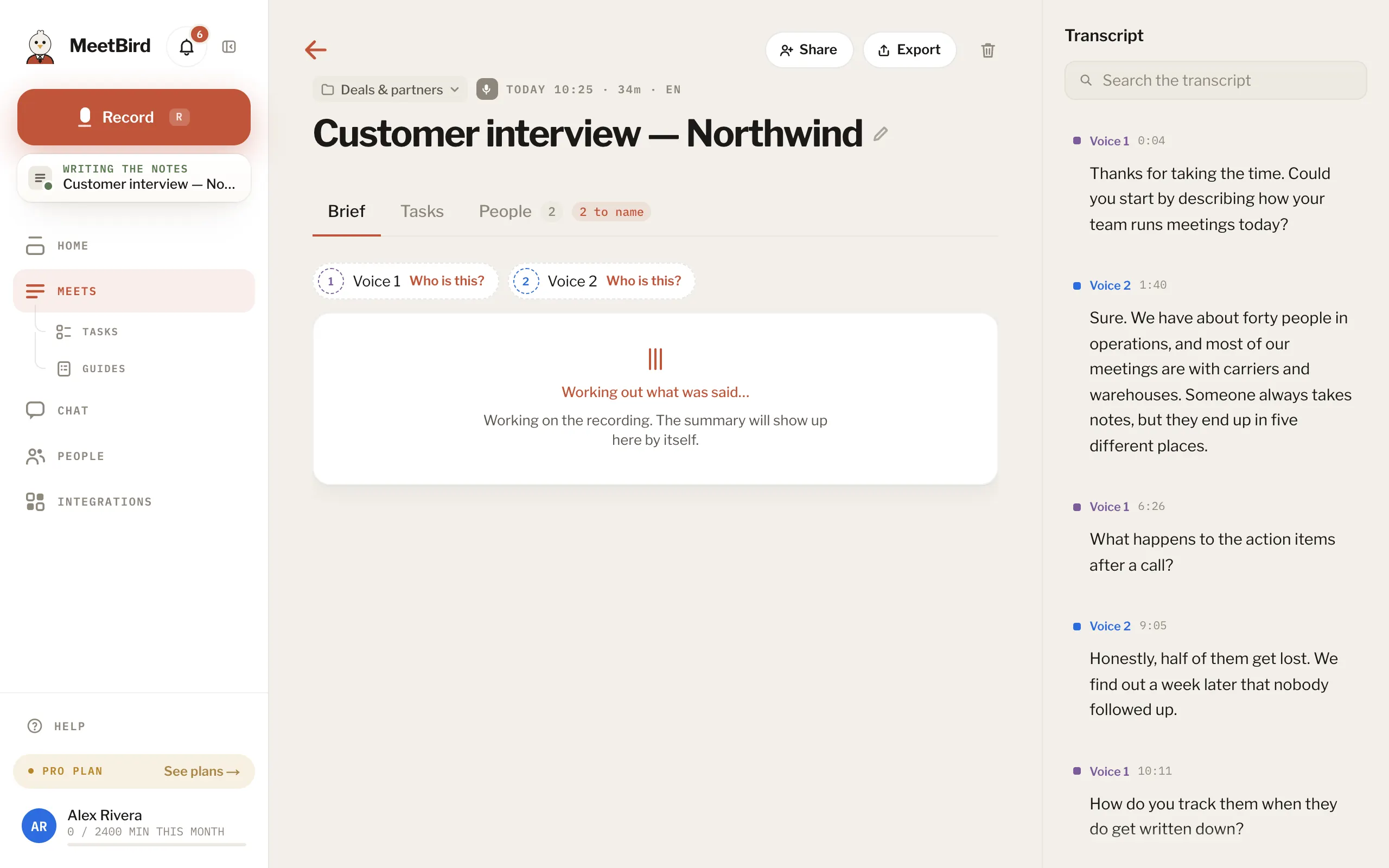
A room recording has no list of participants to read names from. The names have to come from the voices.
- Voices are told apart by themselves. MeetBird doesn’t ask how many people were there. It calls them Voice 1, Voice 2, Voice 3.
- You name each voice once. Click a voice, pick a person, and the name goes on every line they said, on the brief and on their tasks.
- It can learn yours. Read a short text aloud once and it names you in new recordings. On a Team plan, teammates who agree are named too. See who said what.
- A wrong line is one click. Point at it, press Not …? and choose who really said it. The brief is rewritten about a minute later.
Phone, laptop or a dedicated recorder?
| What you use | Cost to start | Best when | Weak spot |
|---|---|---|---|
| An AI recorder device | The device, then a plan for more minutes | Back-to-back conversations away from a desk | One more thing to charge, carry and pay for |
| The phone’s own voice recorder | Free | You only need the audio | Often no speakers. You can import the file into MeetBird later |
| A conference-room system | Company hardware and licences | Fixed rooms with enrolled staff | Only in that room |
| A laptop with MeetBird in the browser | Free, 60 minutes a month | You have the laptop open anyway | It has to stay open and awake |
| A phone’s browser with MeetBird | Free, 60 minutes a month | Short talks, no laptop | The tab must stay open with the screen on |
What a room recording can’t do
- It can’t pull apart people who talk over each other as well as people who take turns. No recorder can. Expect to fix a line here and there after a heated discussion.
- It isn’t live. The transcript comes after you stop, not while people talk.
- Very long days go in parts. For a full-day workshop, stop at the breaks and record the next part as its own meeting.
- It doesn’t tell anybody for you. Say at the start that you are recording, and get consent where the law asks for it.
Questions people ask
How many speakers can it tell apart?
MeetBird sets no maximum and never asks for a number. Small groups who take turns are the easiest. Crosstalk and people far from the microphone are the hardest, for any tool.
Can I use my phone?
Yes, in its browser, with the tab open and the screen on. The iPhone app records with the phone locked or in a pocket. It is in beta: write to hello@meetbird.ai to try it.
Does it work in other languages?
It transcribes the language that was spoken, also when people switch in the middle. The brief, tasks and Chat’s typed answers are in English.
Do I need a special microphone?
No. The laptop’s or phone’s own microphone is enough for a table. In a big room, put the device nearer to the quieter people.
What does it cost?
Free has 60 minutes a month. Pro has 40 hours a month for $23.99, or $214.99 a year. See pricing.
What do I get after the meeting?
A transcript with a speaker and a time on every line, a brief of a few sentences, chapters you can play, tasks to confirm, and a guide if somebody showed how to do something.
Read next
Start with your next meeting.
Free to start, no card. Record in your browser today: the first notes are back a few minutes after you stop.