Recognising teammates by their voice
Team2 steps
On a team with the Team plan, teammates who agree are recognised in each other’s recordings. Only you can switch it on for yourself. No admin can do it for you.
- 1
Go to Profile › Recording & voice › Voice profile. No voice profile yet? Choose Teach MeetBird my voice first. The switch appears once MeetBird knows your voice.
meetbird.ai/profile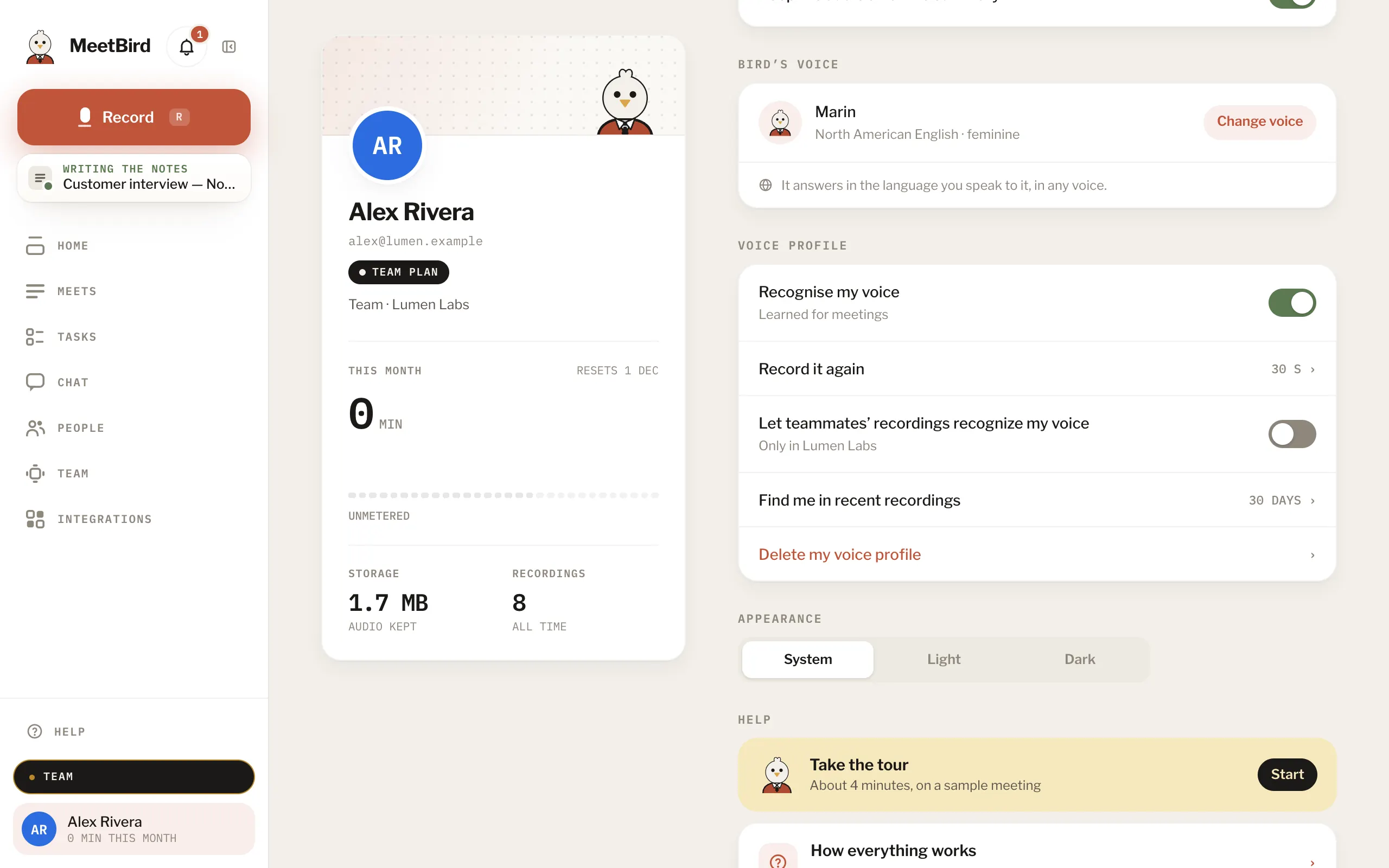
- 2
Turn on Let teammates’ recordings recognize my voice and press I agree, turn it on.
meetbird.ai/profile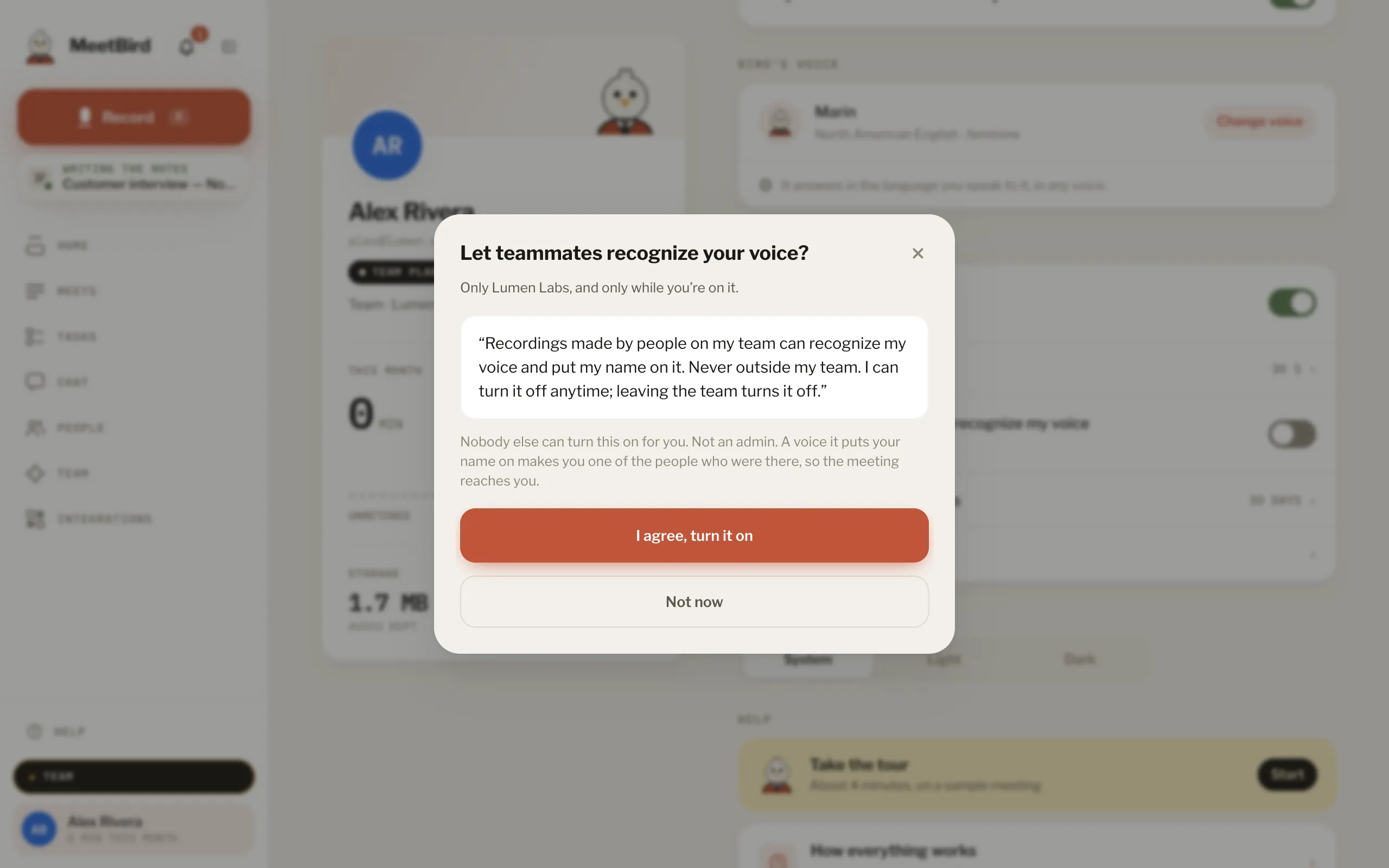
- Never outside your team. Turn it off any time; leaving the team turns it off.
- When MeetBird isn’t sure, it asks instead: “Voice 2 · Ada?”. Only people who can already see the meeting see the question.
WhereProfileRecording & voiceVoice profileLet teammates’ recordings recognize my voice