A line has the wrong speaker
2 steps
Point at the line and press Not …? (it shows the speaker’s name). Then choose who really said it in Who said this?.
- 1
Point at the line and press Not …? on the right of the line, level with the speaker’s name.
meetbird.ai/meeting/…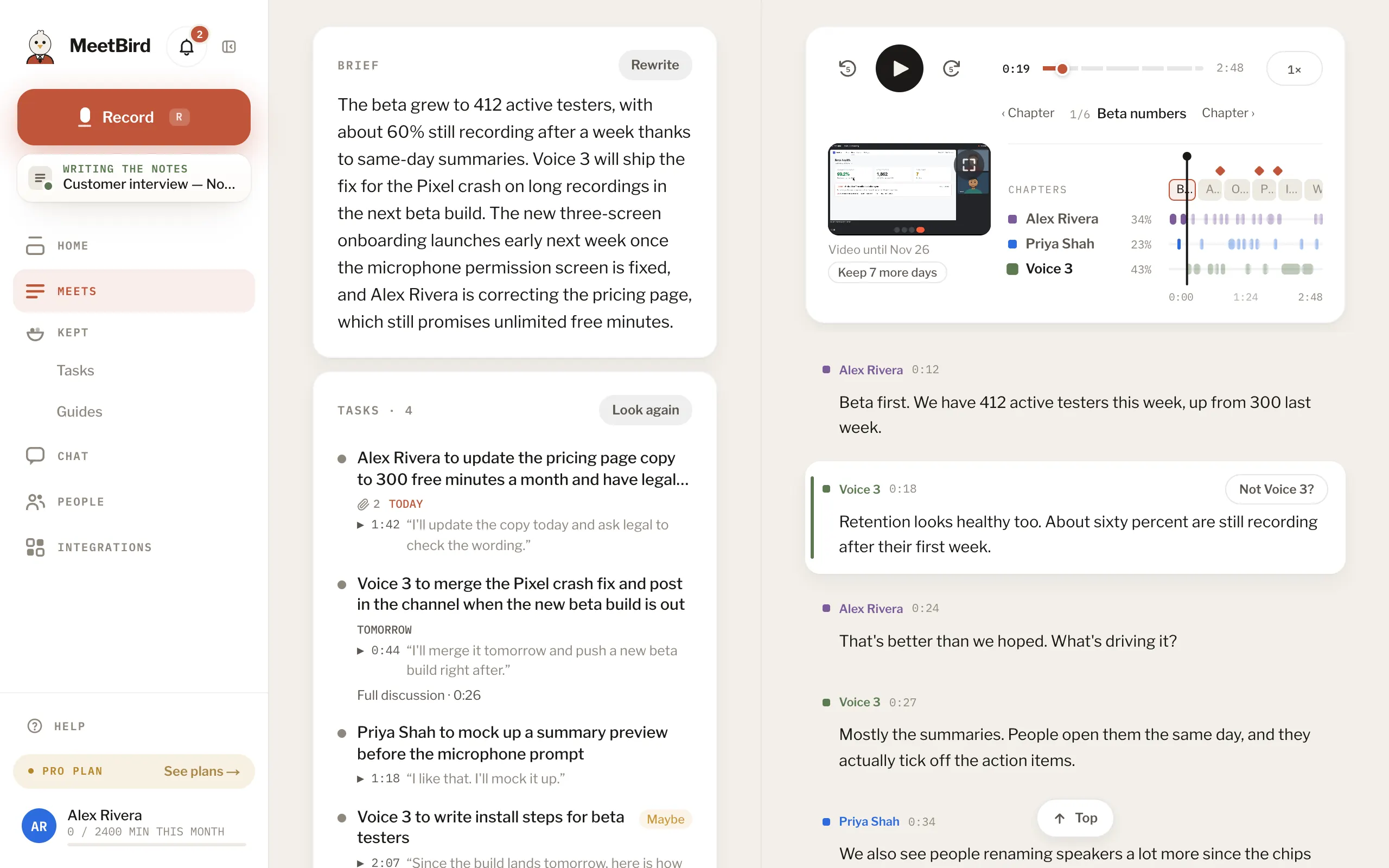
- 2
In Who said this?, choose who really said it.
meetbird.ai/meeting/…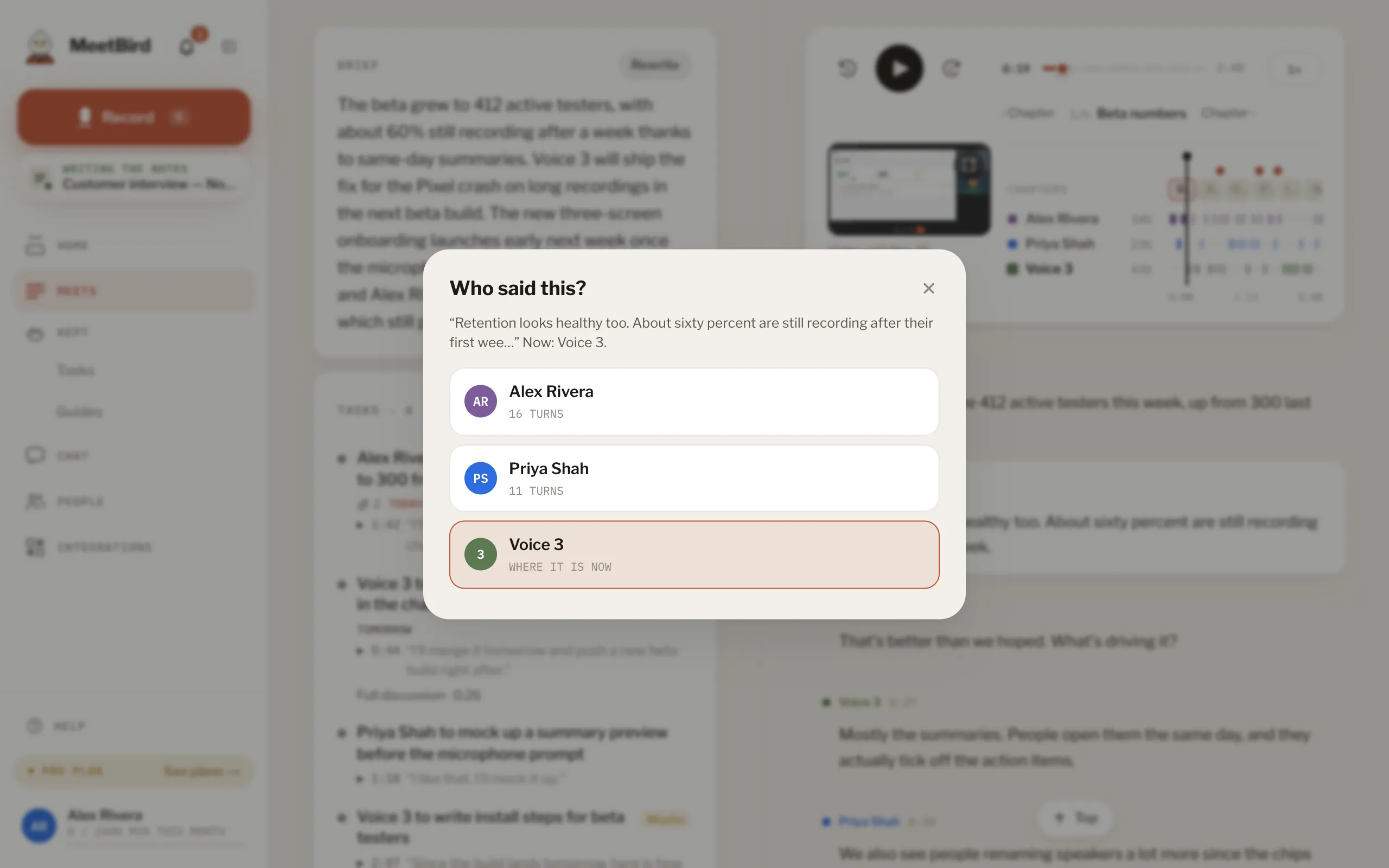
- If the voices are badly mixed up, whoever recorded the meeting can press Reset voices to go back to how MeetBird first heard them.
- After voices change like this, the summary is rewritten about a minute later.