A call where someone shows how becomes a guide
Somebody shares a screen and walks you through it. MeetBird writes the steps, with a picture of each and the piece of the meeting where it was explained.
- Guides on every plan
- Playing steps: Pro and up
- From calls and imported video
QUICK ANSWER
What can turn a training call or screen share into a step-by-step guide?
MeetBird writes guides from the meeting itself. When someone in a recorded meeting shows how to do something, it makes a guide: the steps in order, what to do in each, the exact value to type or copy, a picture of the shared screen, and the part of the recording where it was explained. You can edit, split and add steps, or mark a part yourself and have its steps written. Reading and editing guides is on every plan, Free included; playing each step needs Pro or higher.
Updated . Written by the people who make MeetBird. The people and meetings in the pictures are sample data.
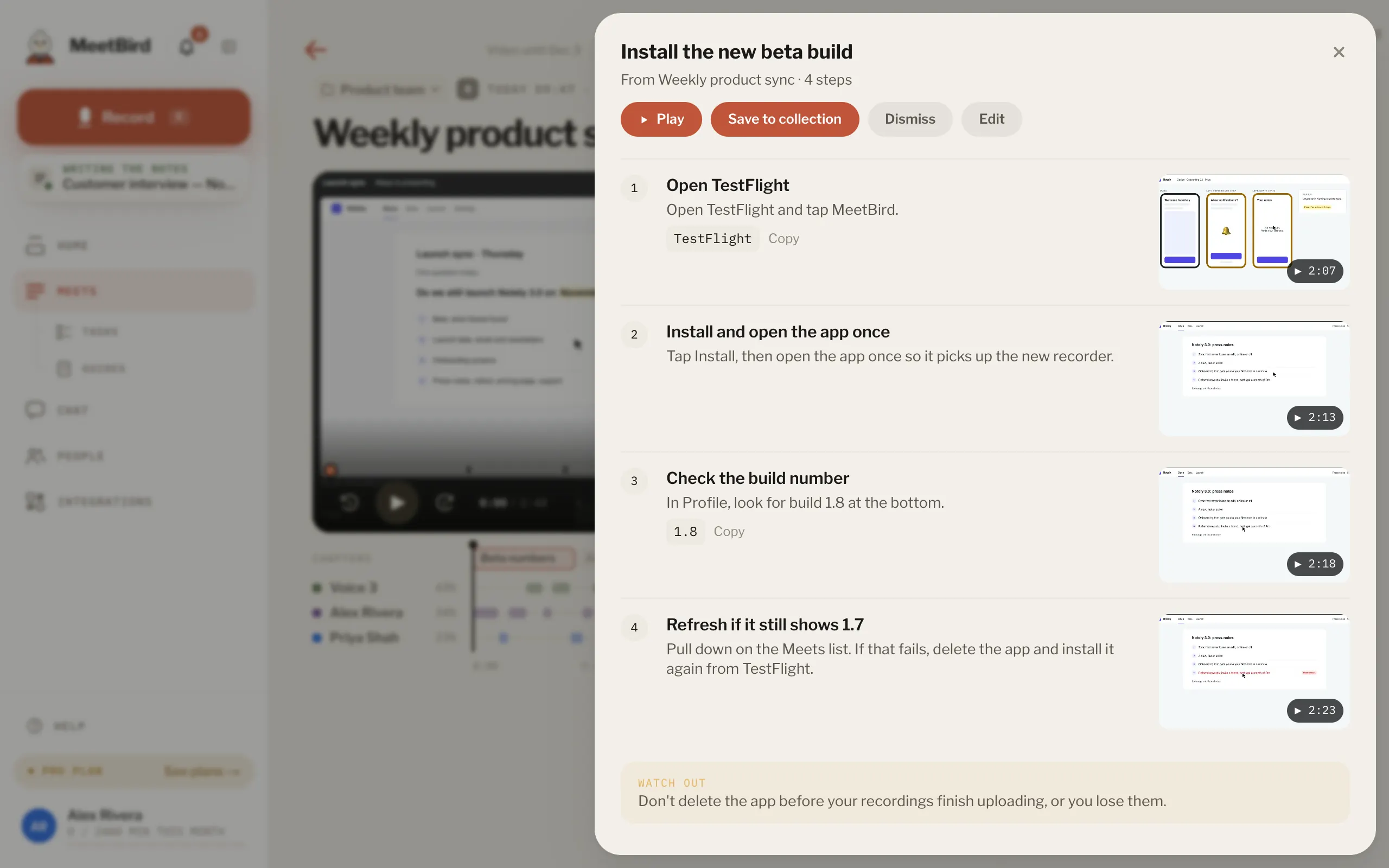
How a guide is made
- 1
Record the call, or import the video
A call in a Chrome or Edge tab with Keep the video too on, or an MP4 or WebM file up to 2 GB. Without a screen, the guide has words and sound but no pictures.
- 2
MeetBird finds the part where someone teaches
It appears in the meeting’s Guides tab. Most work meetings have none, and that is normal: a guide is only written when somebody really walks others through something.
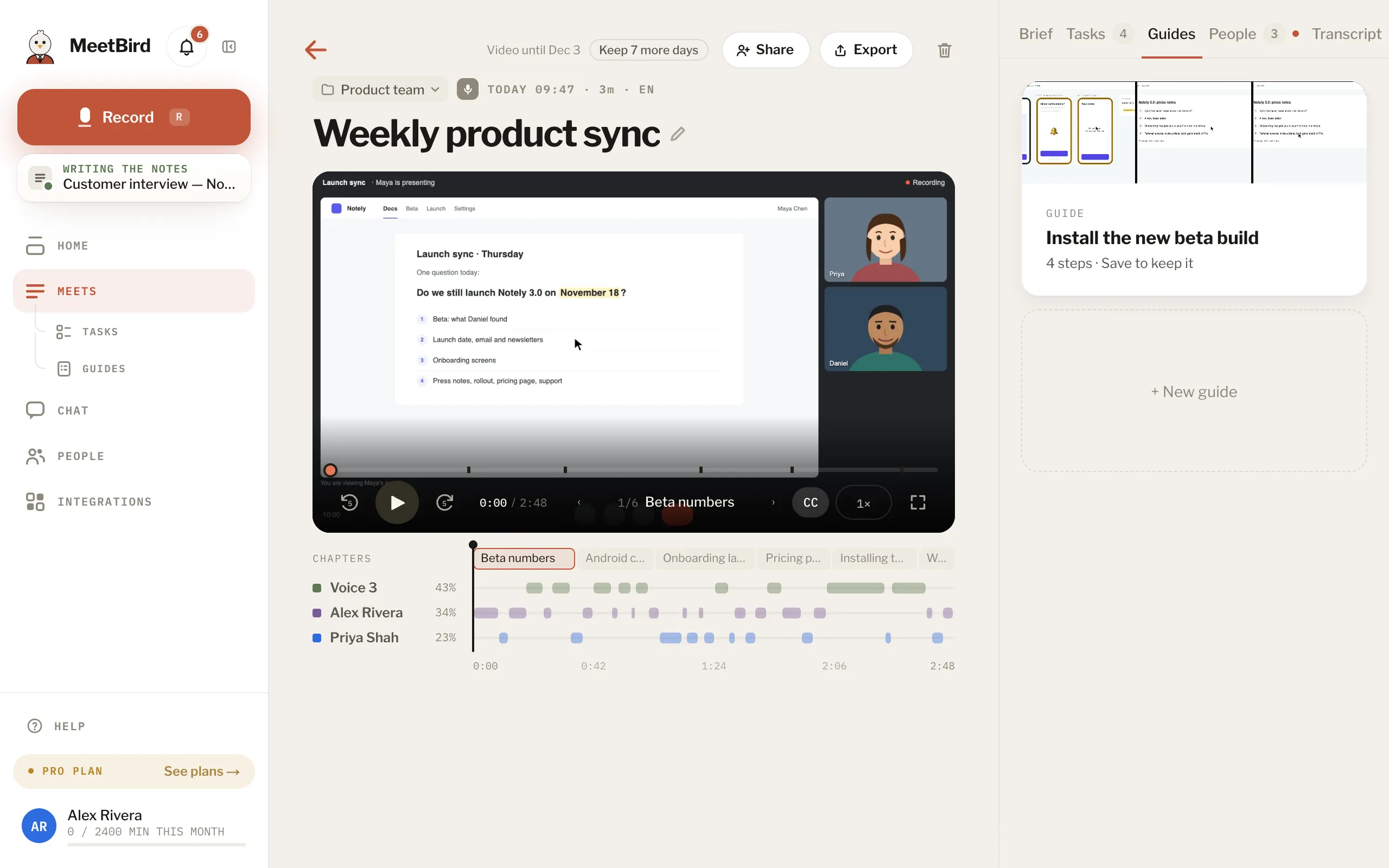
- 3
Check it and keep it
Reword a step, drag its part on the strip over the speakers, split one in two, or press Write from this part to have it written again. Save to collection keeps it, with each step’s picture and clip, after the meeting’s video is gone.
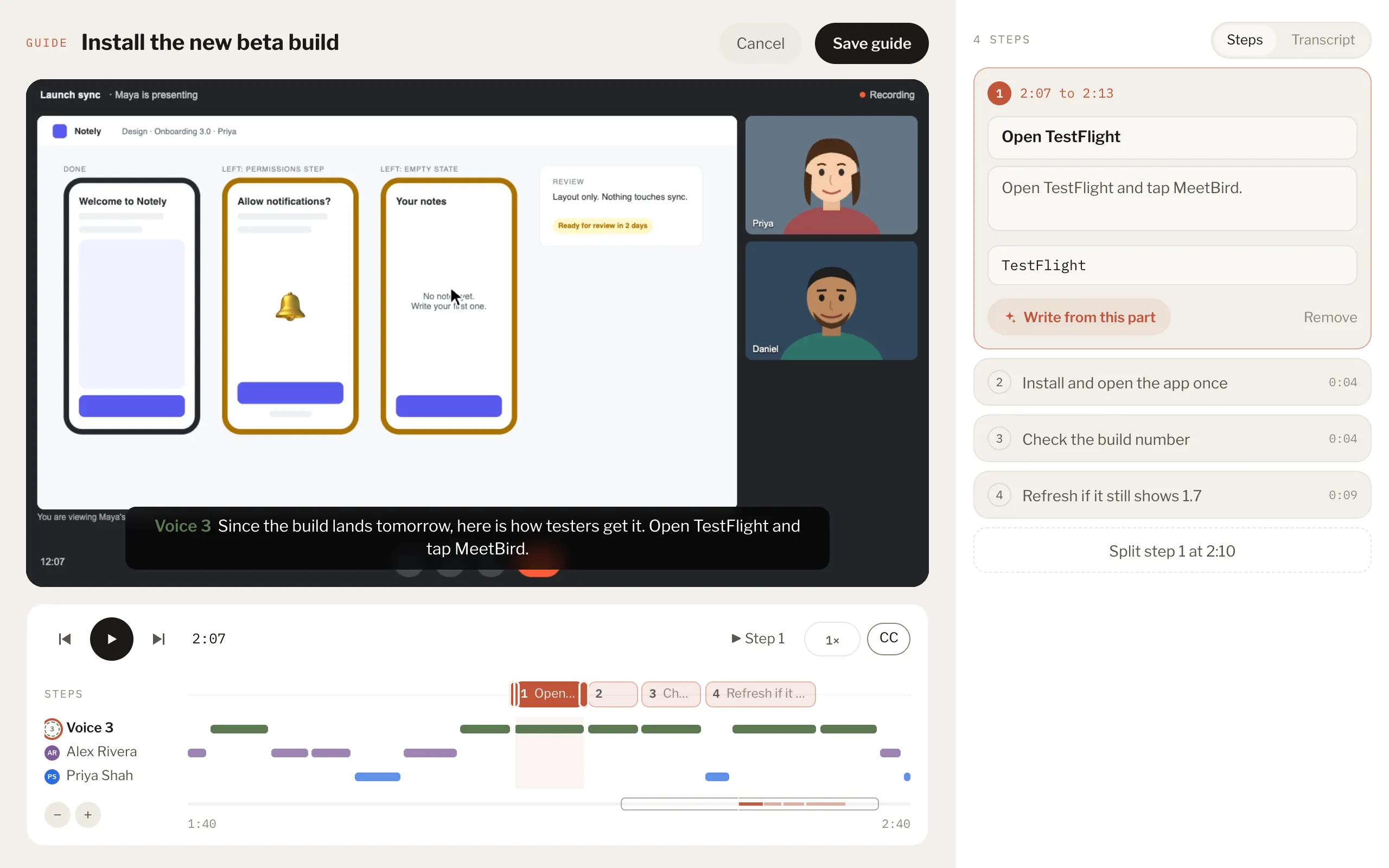
- 4
Play it, step by step
Each step plays its own piece of the meeting and stops. Full screen shows the picture big with the steps beside it. Playing is part of Pro, Pro+ and Team.
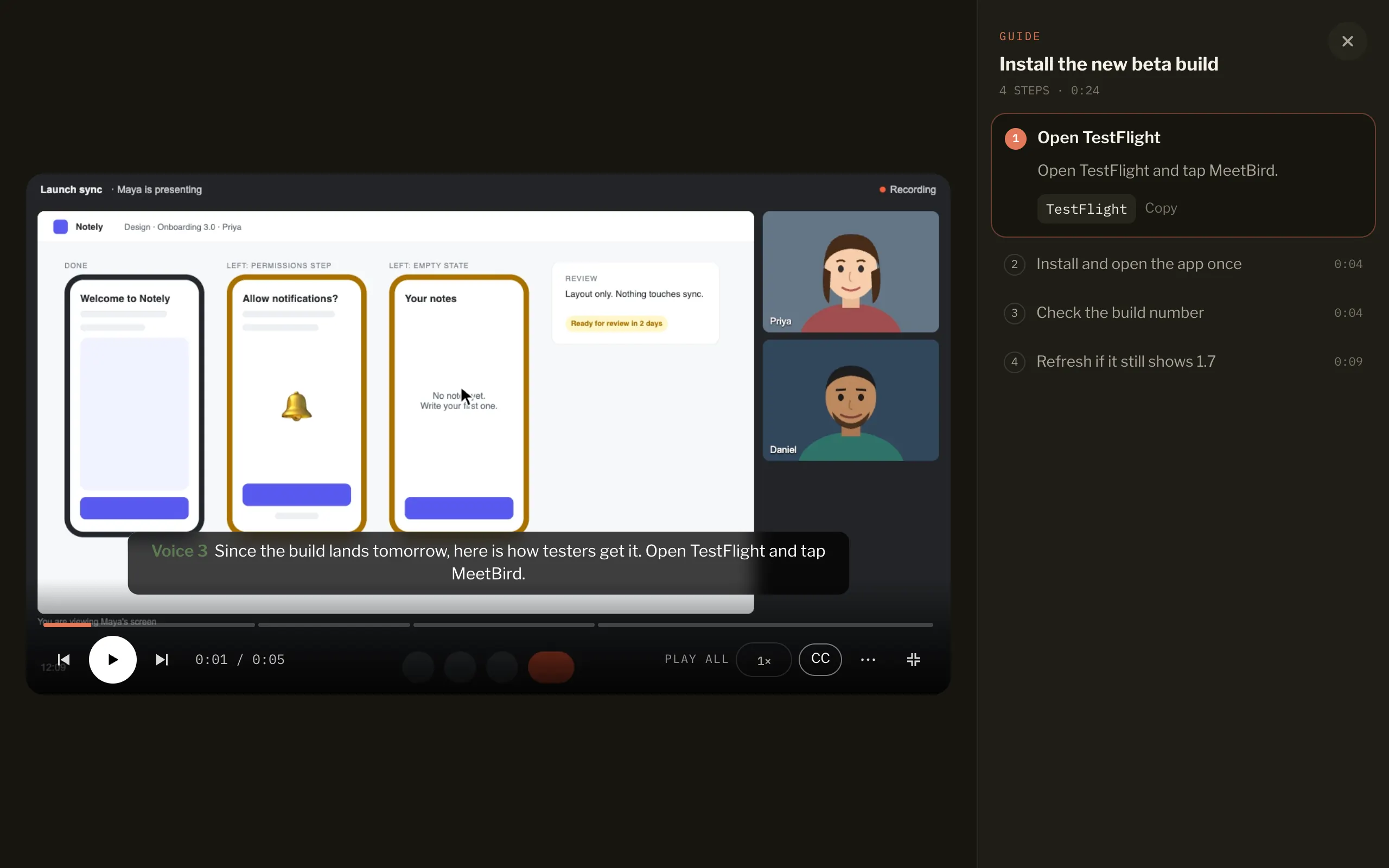
What is in a guide
- Steps
- A title and what to do, in the order it was shown. Up to 40.
- Text to copy
- The exact value, command or name that was said, with a copy button.
- A picture of each step
- From the shared screen, at the moment the step was shown.
- The moment
- Each step links to its part of the recording.
- Watch out
- The mistakes the speaker warned about.
- Try this
- What the speaker told people to go and try.
Guides from a meeting, or a click recorder?
There are two kinds of tools for this, and they start from different things.
| MeetBird guides | Click recorders | |
|---|---|---|
| Starts from | People explaining something in a call | You performing the process with a recorder on |
| Captures | What was said, the shared screen, the warnings and the reasons | Each click and a screenshot of it |
| Extra work for the expert | None. They explain it once, to a person | They repeat the process with the recorder running |
| Best for | Handovers, onboarding calls, product walkthroughs, “can you show me how” | Click-by-click instructions for one web app |
| Weak spot | Only as complete as what was said | No why: it knows what was clicked, not what was meant |
Good calls to turn into guides
Onboarding
The setup a new hire is shown every month, shown once and kept.
Handovers
The person who leaves explains the system. The steps stay.
Customer walkthroughs
The same “how do I…” call, answered with steps instead of another call.
Support escalations
How the engineer fixed it, in order, with what to watch out for.
Webinars and lessons
Import the recording and keep the part that teaches.
Tool changes
How we do it now, from the meeting where somebody showed it.
If MeetBird missed one
Press + New guide in the meeting, drag over the part where it was shown, and press Write the steps. You can also write the steps yourself and give each one its part of the meeting.
Questions people ask
Is this an SOP generator?
It writes the procedure somebody demonstrated: steps, pictures, warnings and the moment each was explained. If your SOPs need owners, approvals and revision control, take the steps from MeetBird into the system that keeps those.
Can I make a guide from an old recording?
Yes. Import an MP4 or WebM file and its screen becomes the pictures. MOV and MKV files don’t work; save them as MP4 first. An audio file gives a guide without pictures.
Can I share a guide with someone outside?
Yes, on Pro and up: they get it by email with a six-digit code, so a forwarded link opens nothing. They see the guide, not the rest of the meeting.
Does every meeting get a guide?
No. Only when someone really shows how to do something.
Does it record my clicks?
No. It uses the shared screen that was recorded and what people said.
Can Claude use my guides?
On Pro and up, with Claude connected, it can list and read them. See connect Claude.
Read next
Next time someone shows you how, keep it.
Record the call in your browser. If somebody teaches something, the steps are there when it ends.