Chapters: jump to a part of a meeting
2 steps
MeetBird splits each meeting into Chapters, in order. Press one to play from there.
- 1
Open the meeting. Chapters lists its parts, each with the time it starts.
meetbird.ai/meeting/…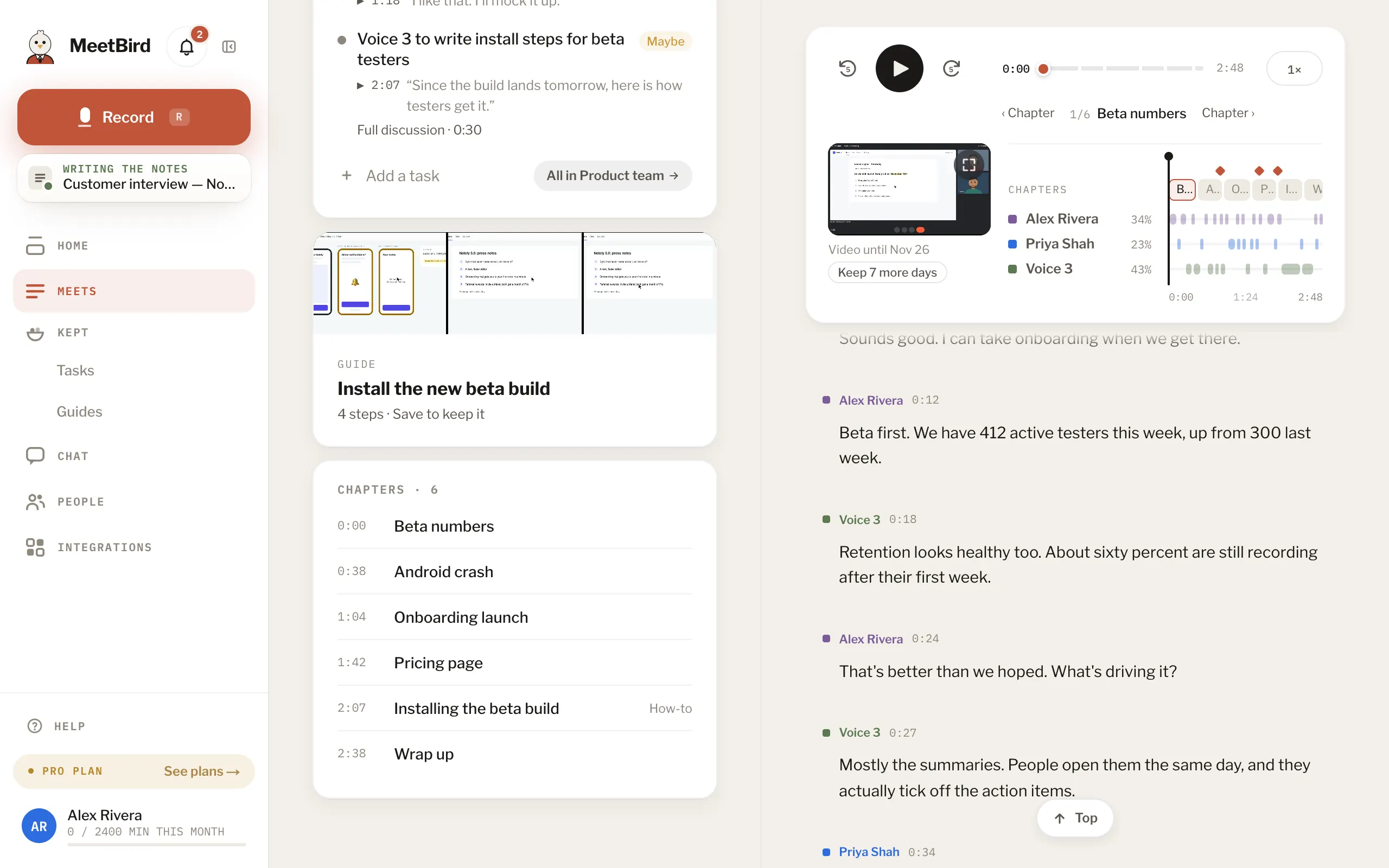
- 2
Press a chapter to play from there. The player’s bar is cut into the same parts: point at it to see each part’s name.
meetbird.ai/meeting/…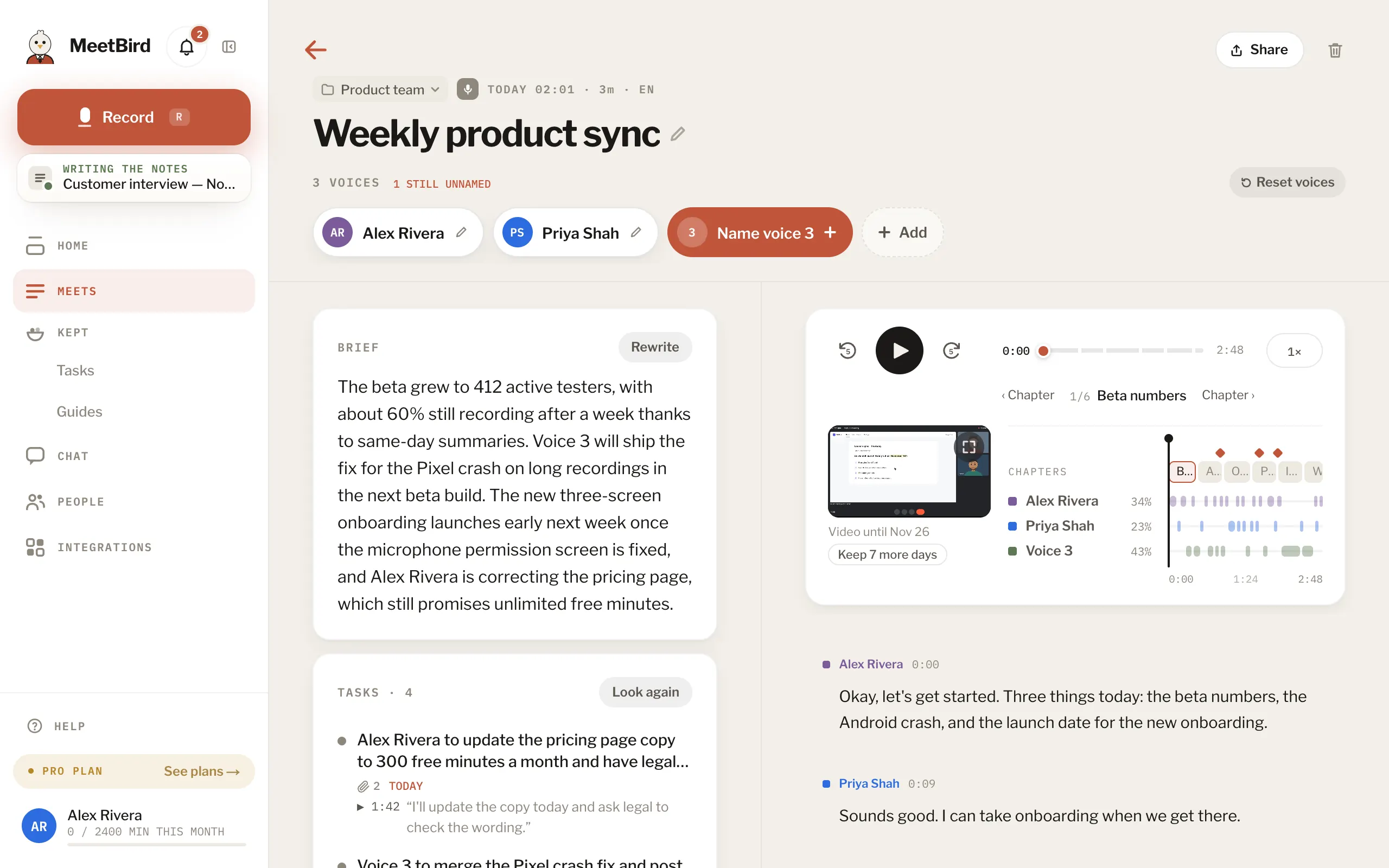
- In the big player the chapters sit above the speakers. ‹ Chapter and Chapter › move between them.
- Making a clip? Clip this chapter takes the whole chapter, up to 5 minutes.
- With many people in a meeting, the big player shows the 3 people speaking nearest to where you are. Press Show for everyone.