Use your meetings in Claude
Pro3 steps
Connect MeetBird to Claude once, then ask Claude about your meetings: what was decided, who owes what. It can write the follow-up too.
- 1
In Claude, open Customize › Connectors and choose Add custom connector.
meetbird.ai/connect-claude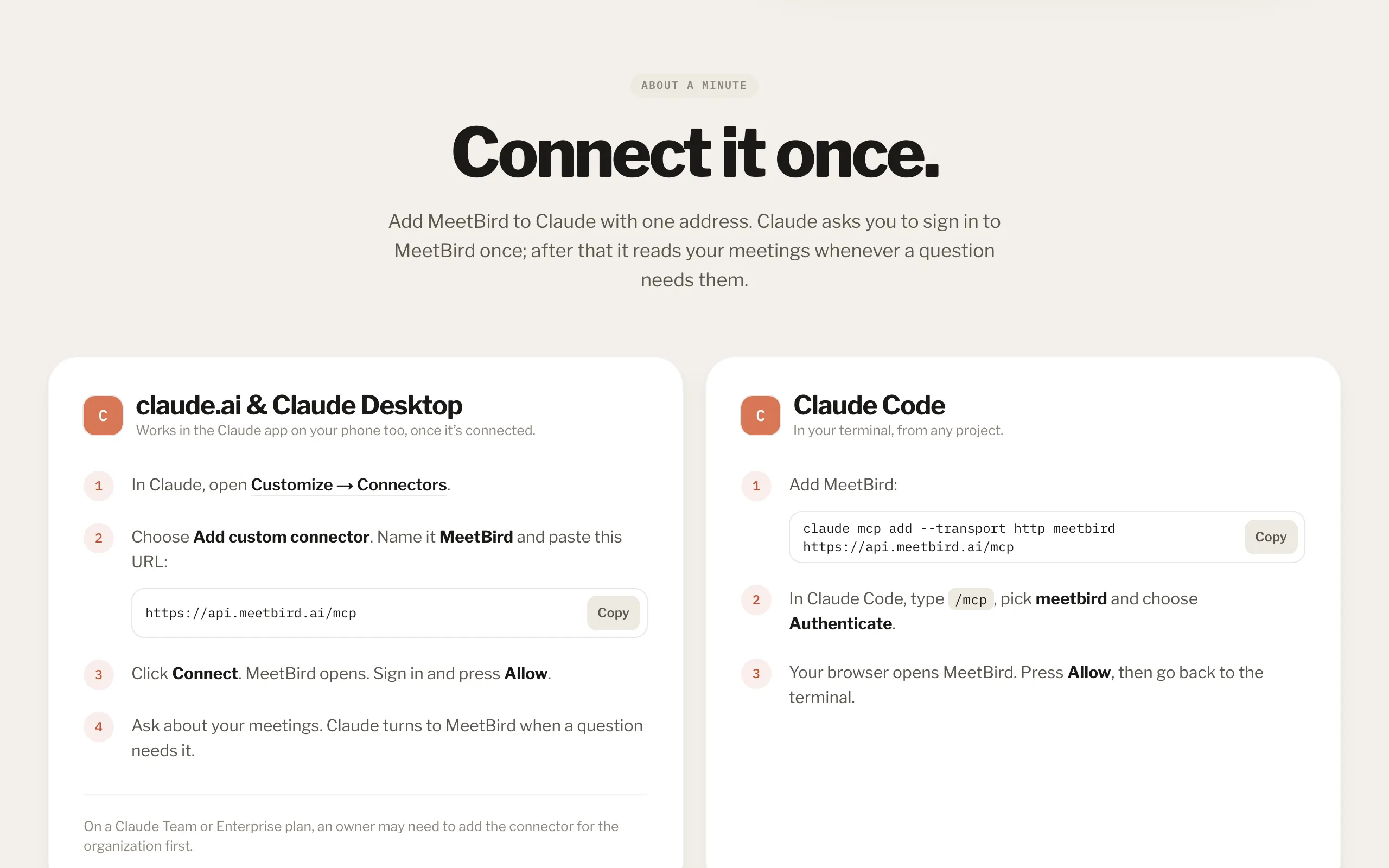
- 2
Name it MeetBird and paste https://api.meetbird.ai/mcp
meetbird.ai/integrations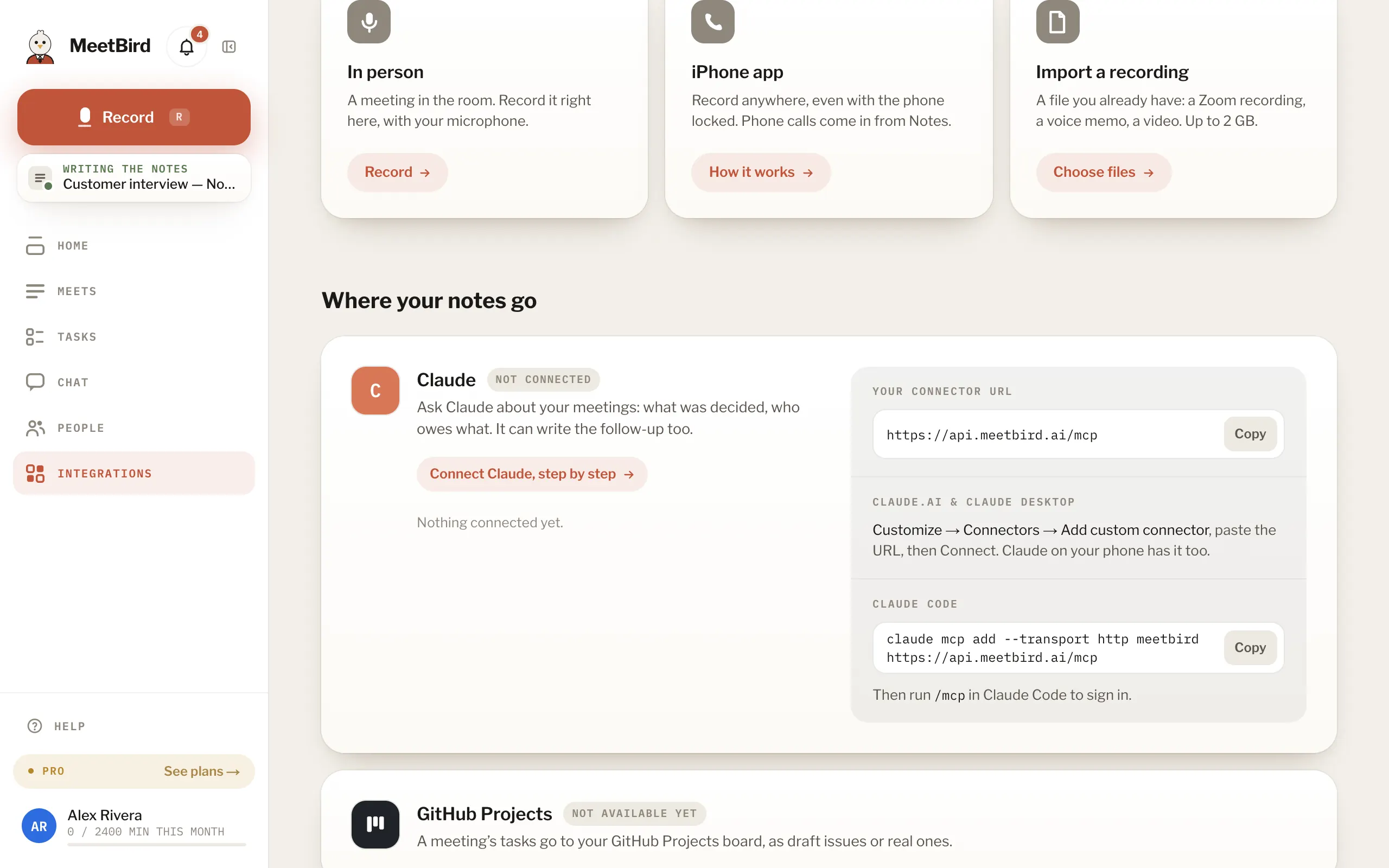
- 3
Press Connect, sign in to MeetBird and press Allow.
meetbird.ai/oauth/authorize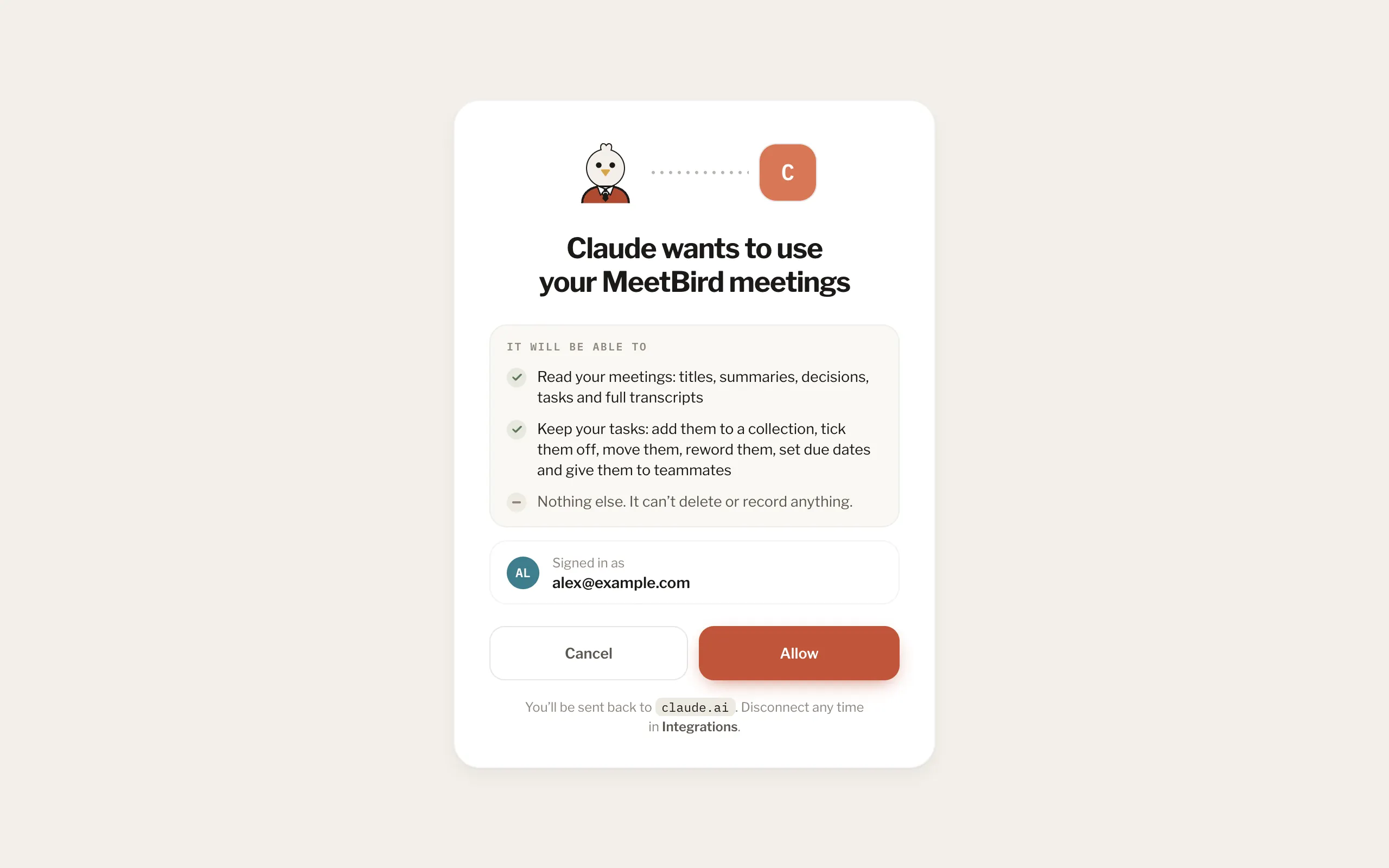
- Claude sees what you see in MeetBird and nothing else. It can keep your tasks if you allow it, but never delete or record.
- Disconnect it any time in Integrations; it stops at once.