Tab closed mid-recording? It’s kept
3 steps
While you record, MeetBird saves the audio in your browser every second. If the tab closes, the browser crashes or the connection drops, the recording waits there and goes as soon as it can.
- 1
Open MeetBird again in the same browser and go to Record.
meetbird.ai/record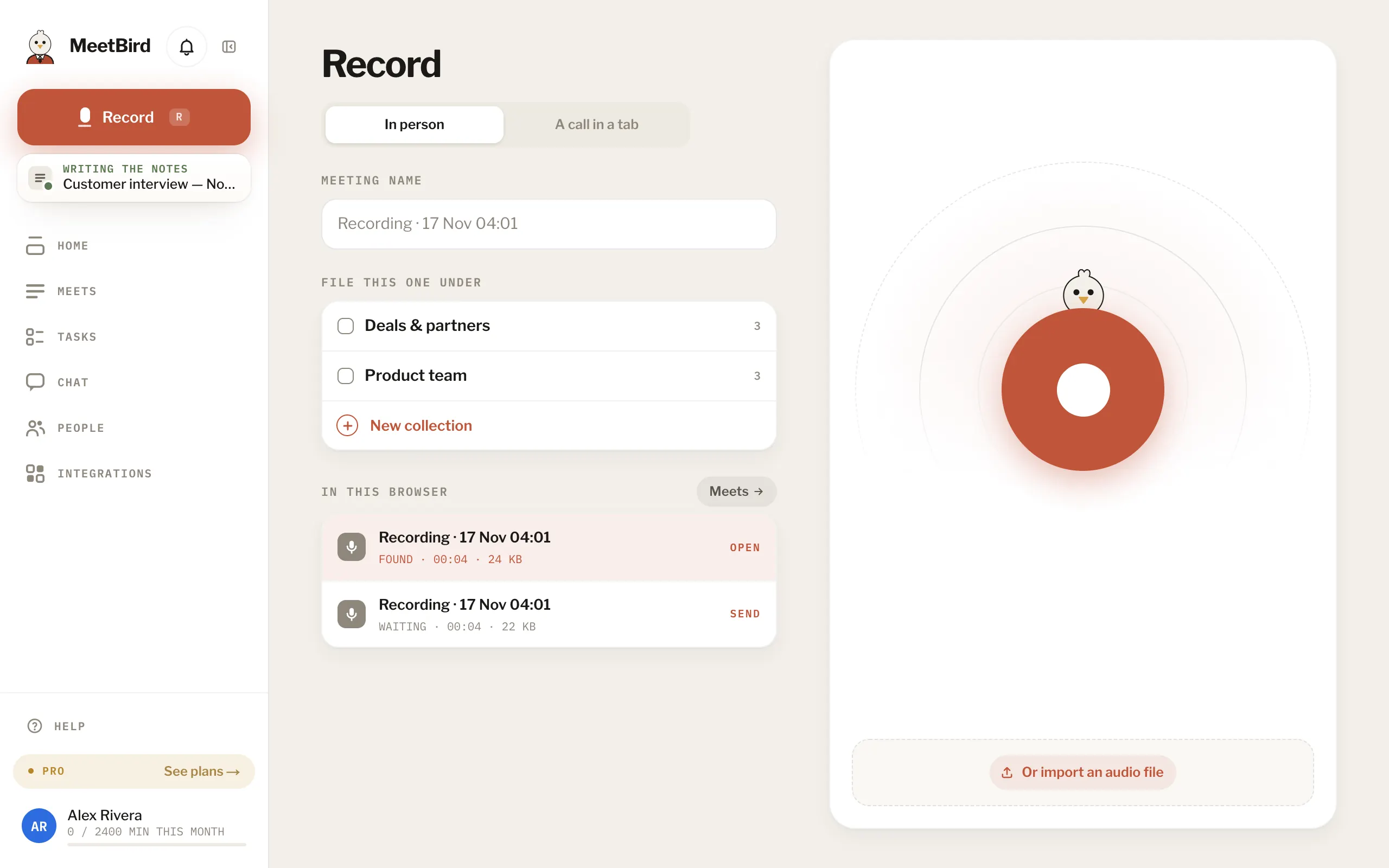
- 2
Under In this browser, a recording cut off mid-way is marked Found, and one that wasn’t sent is Waiting.
meetbird.ai/record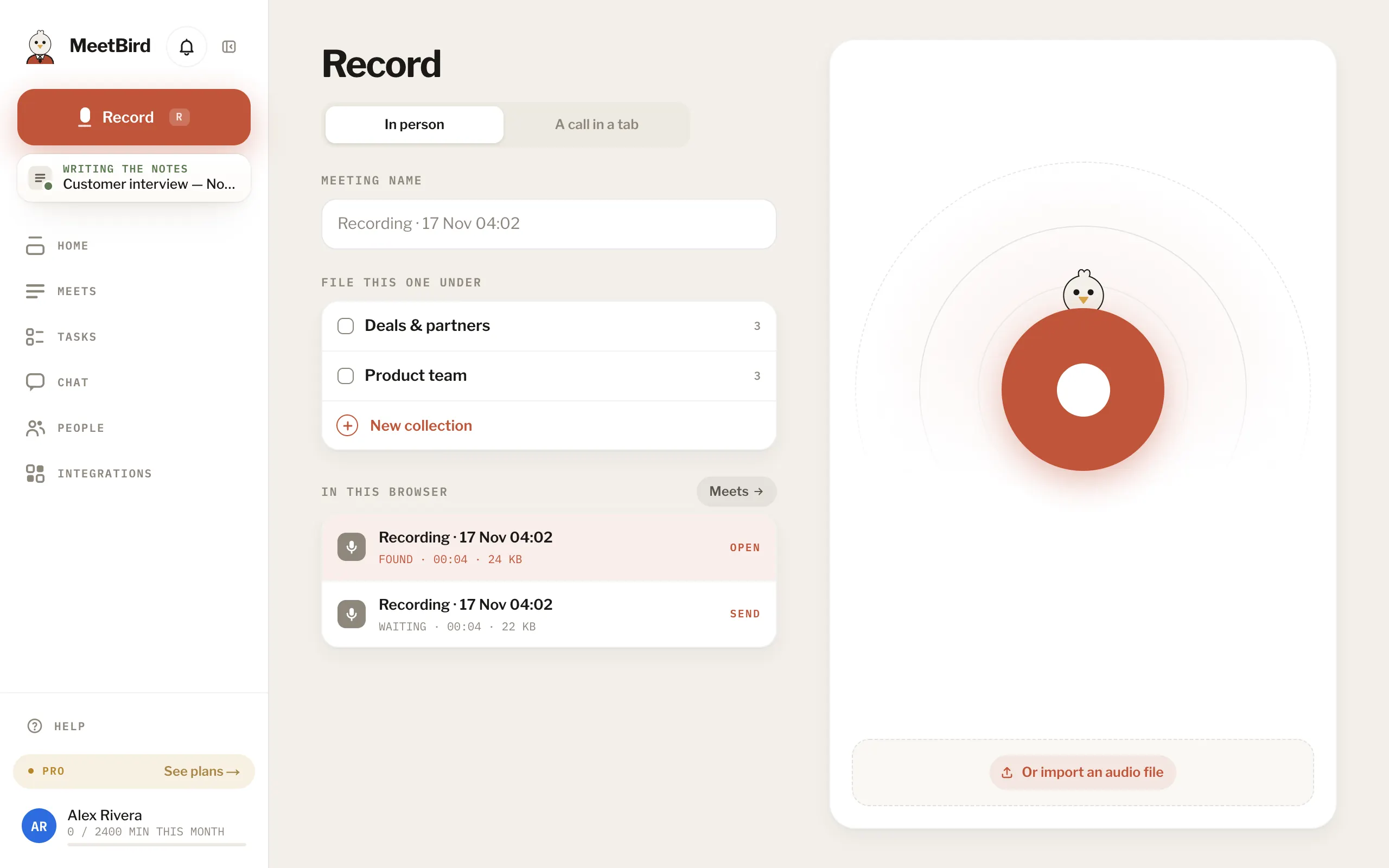
- 1Found, cut off mid-way
- 2Waiting, never sent
- 3
Press a waiting one to send it, or open a found one and press Send now. One you never named is sent on its own, named by the time.
meetbird.ai/record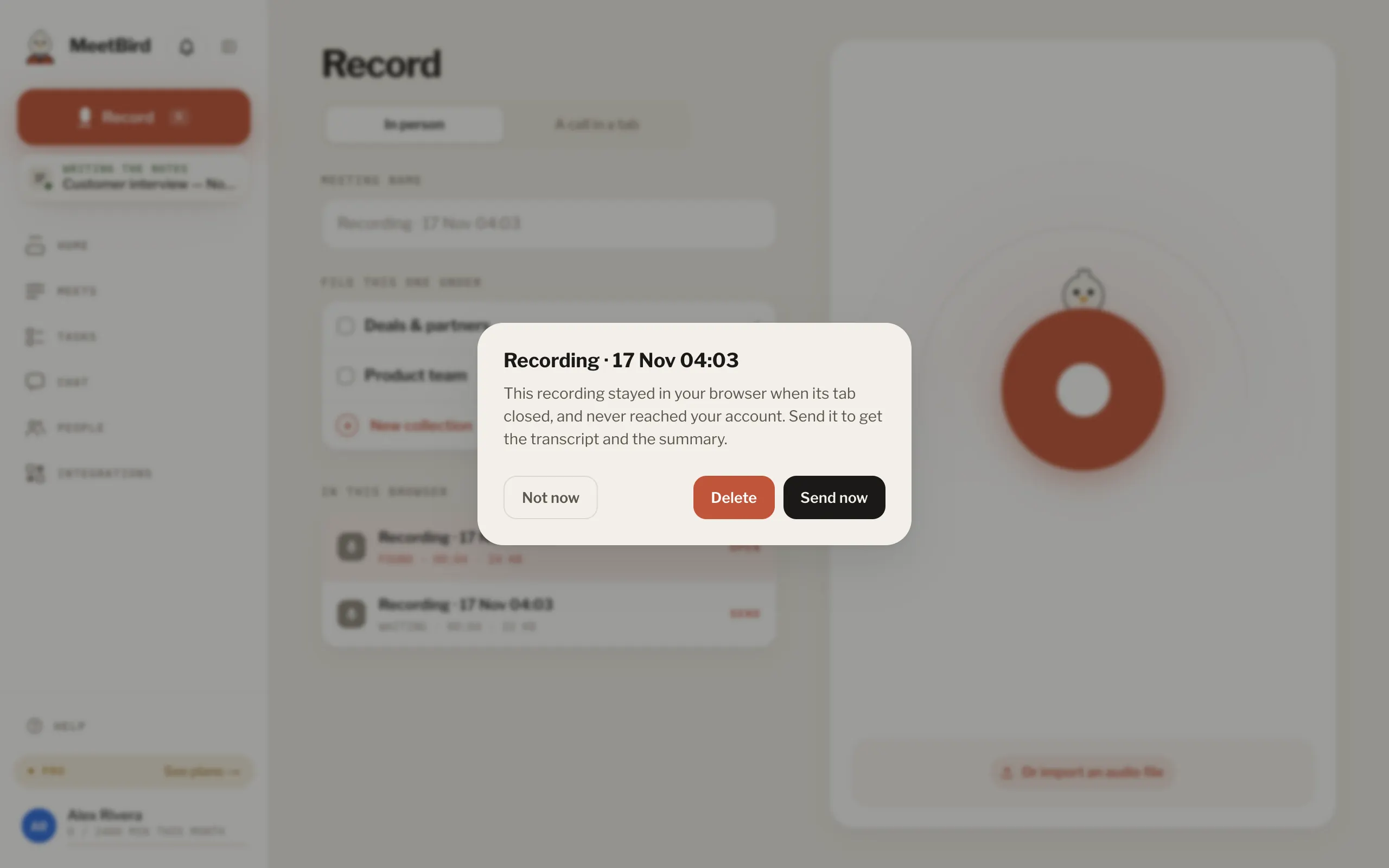
- Don’t clear this site’s data, or record in a private window, while something is waiting. The recording lives there.
- In the iPhone app they wait under On this phone in Meets.