Change many meetings at once
2 steps
In Meets, press Select (on a phone, long-press a meeting). Pick meetings, then use File under, Delete or Clear at the bottom.
- 1
In Meets, press Select, or long-press a meeting on a phone.
meetbird.ai/meets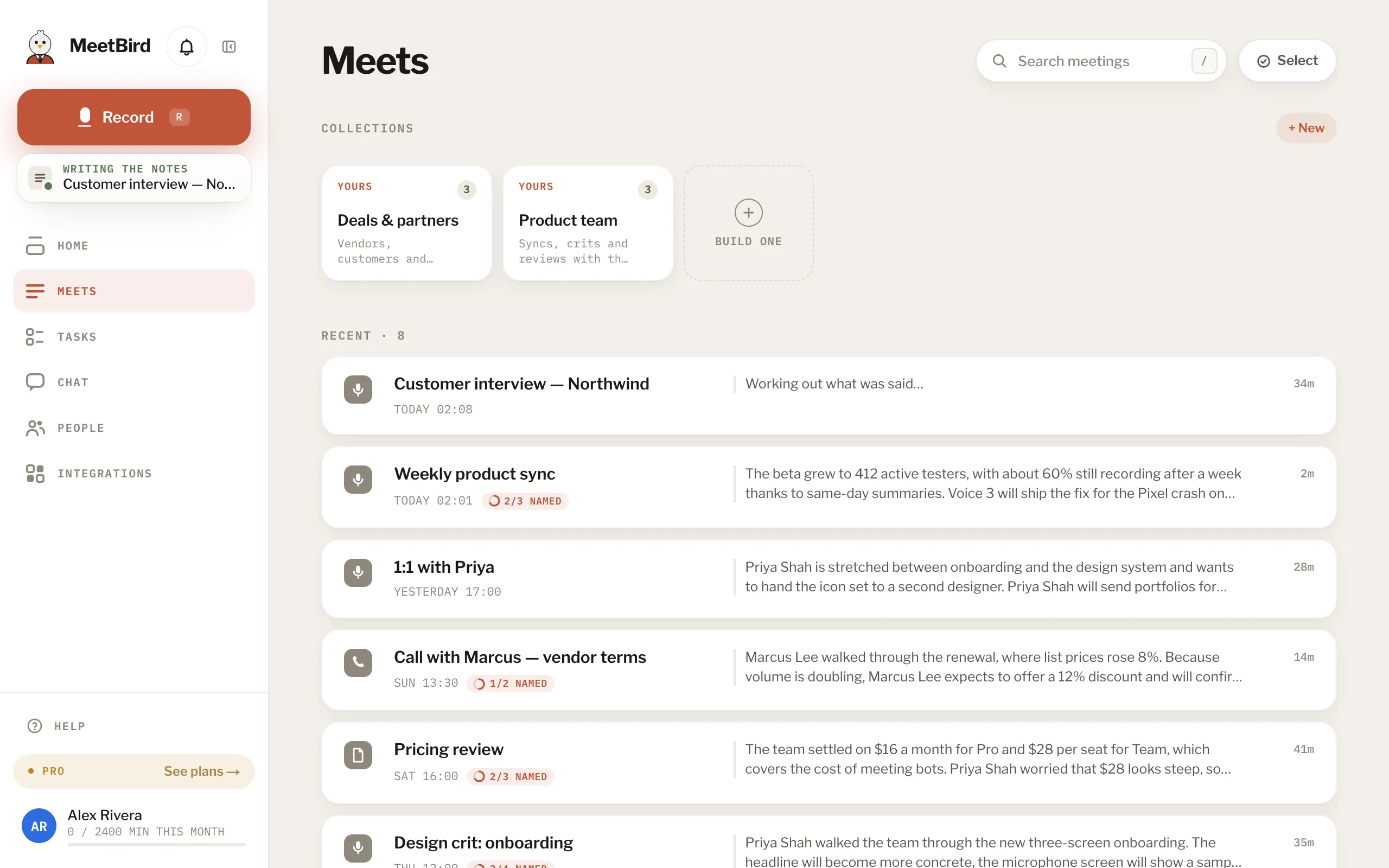
- 2
Pick the meetings, then use File under, Delete or Clear at the bottom.
meetbird.ai/meets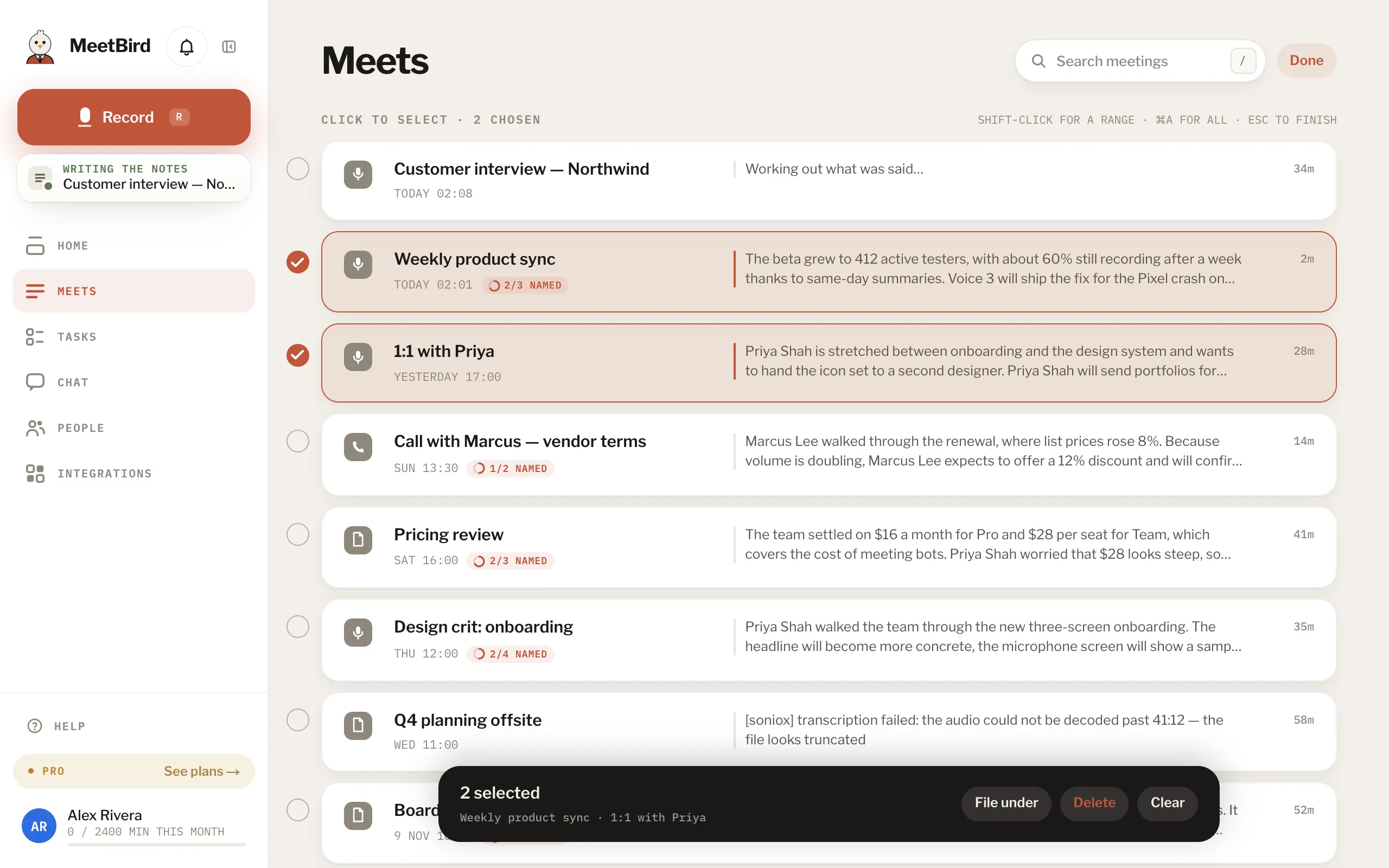
- 1Pick meetings
- 2File them under a collection
- 3Delete them
- 4Unpick them all
- With a keyboard: ⌘ A selects everything shown, Shift-click picks a range, Esc finishes.